🧩 Template Response Context
This functionality allows the system to preserve the context of a WhatsApp template, even when the customer replies with free text instead of using the message buttons.
New Configuration Parameter
A new company-level parameter has been added:
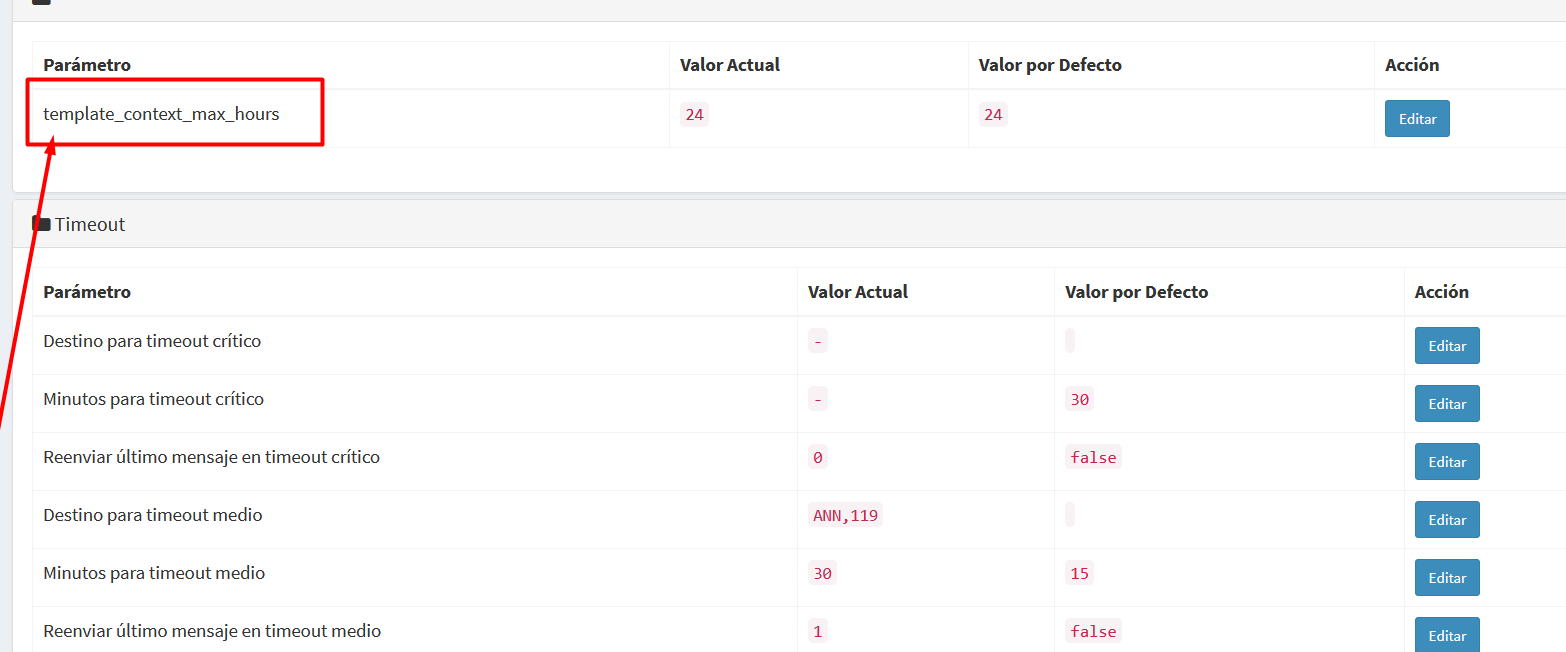
template_context_max_hours
This value defines how many hours the template context remains valid for interpreting a customer's reply.
Example
If:
template_context_max_hours = 24
It means that if the customer replies within 24 hours after the template was sent, the system can still interpret that response within the context of the sent template.
If the customer replies after that period:
- the message is processed as a normal conversation
- no template-related action is executed
This prevents late replies (for example, days later) from triggering actions that no longer make operational sense.
⚙️ Template Invalid Response Destination
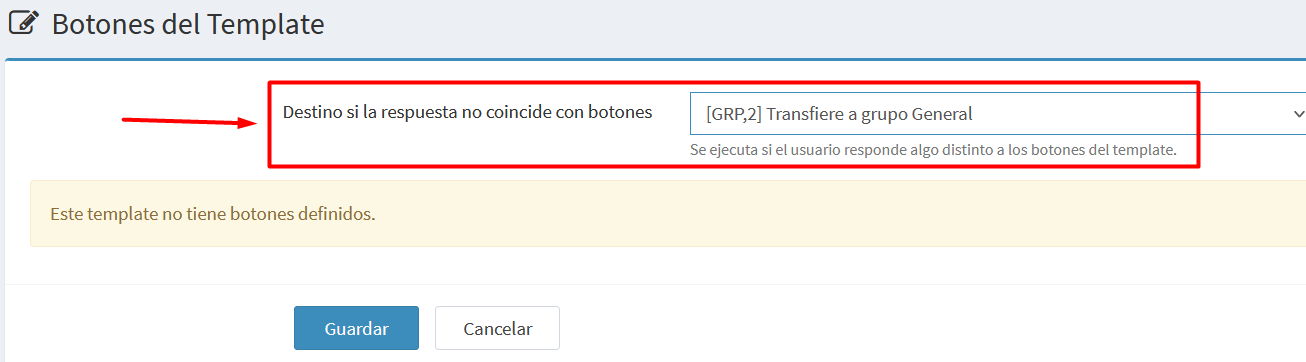
A new option has been added to the Template edit page:
Template Invalid Response Destination
This option allows selecting a system destination, for example:
- Announcement (ANN)
- ITR
- Group (GRP)
- Reply (REP)
- Other available destinations
This destination will be executed when the customer replies to the template with a message different from the template buttons.
The option is always visible on the template edit page, even if the template does not have buttons configured.
🔄 How the Process Works
When a template is sent to a customer, the system records that event.
If the customer replies later, two scenarios may occur:
Case 1 — The customer presses a template button
The system executes the destination configured for that button, as it previously worked.
Case 2 — The customer replies with free text
Examples:
- Hi
- I want to know more
- I don’t understand
- I’m interested
If the message does not match one of the template buttons:
- The system detects the last template sent to the customer.
- It verifies that the template was sent within the time defined in
template_context_max_hours. - It executes the template’s context destination.
🧠 Practical Example
Suppose a campaign sent by the Sales department.
Template sent:
We have a new promotion.
Would you like to receive more information?
Buttons:
- [I want information]
- [Not interested]
The customer replies:
Hi, I’m interested in knowing more
In this case, the customer did not press a button, but the system detects that the message is related to the sent template.
The configured template context destination is executed, for example:
GRP,2
→ Sales Group
This way, the conversation is automatically directed to the correct department.
🎯 Benefits
1. Maintain Campaign Context
Customer replies are interpreted within the context of the sent template instead of being processed as generic incoming messages.
2. Handle Free-Text Replies
Many users reply by typing instead of using buttons.
This feature ensures those replies are properly managed.
3. Works Even Without Buttons
Some informational templates do not include buttons.
With this functionality, any customer reply can still be automatically routed to the correct flow.
4. Simplifies Department Routing
For example:
- sales campaigns → Sales group
- support campaigns → Support group
- informational campaigns → Follow-up ITR
📝 Summary
This enhancement allows WhatsApp template replies to preserve their operational context, even when customers respond with free text.
It significantly improves customer experience and ensures conversations are automatically routed to the appropriate flow or department.