Inbound Routes
Introduction
An Inbound Route in Kewbot defines the behavior the system follows when a new message arrives from a client.
It is the starting point of a conversation, deciding to which flow, group, or action the message will be directed.
Inbound Routes List
This screen displays the full list of inbound routes configured for the company.
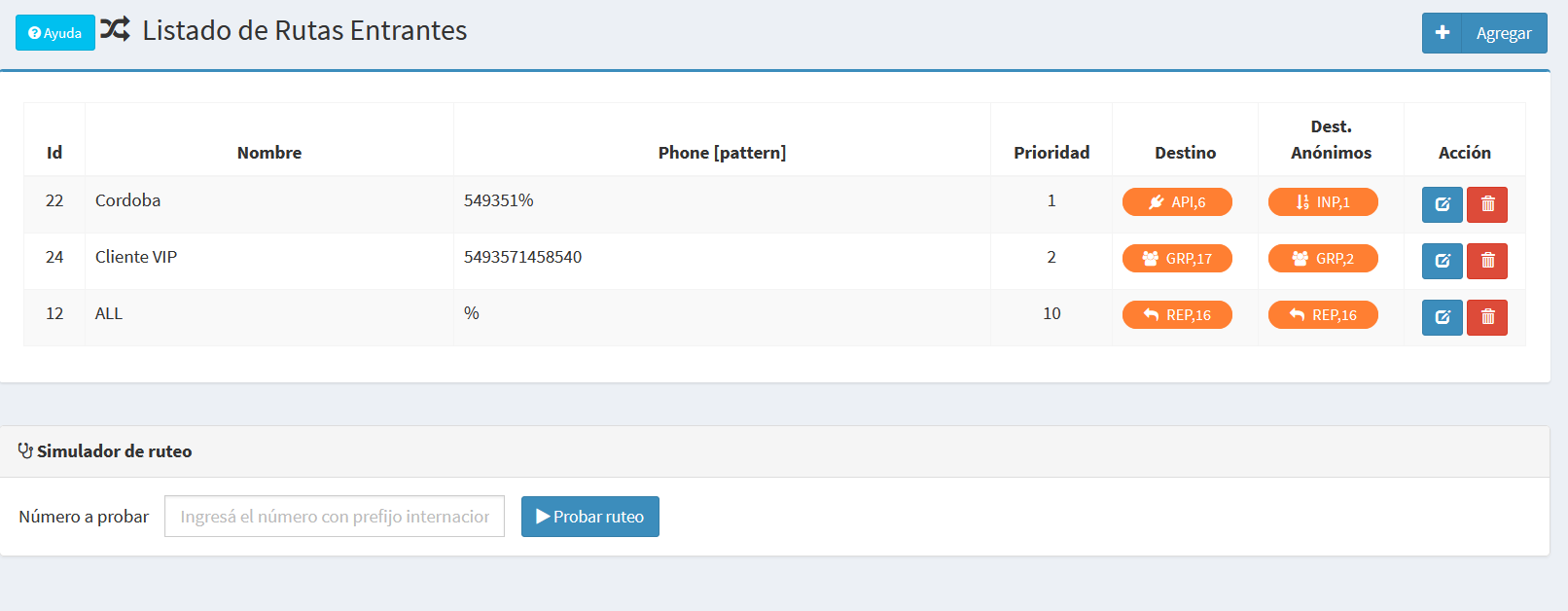
Each row includes:
- ID → unique identifier of the route.
- Name → short descriptive label.
- Phone [pattern] → can match an exact number, a prefix, or all numbers (
%). - Priority → defines evaluation order (lower numbers are evaluated first).
- Destination and Anonymous destination → allow different actions depending on whether the number is known (in phonebook) or unknown.
- Actions → Edit or Delete (Delete disabled if the route is in use).
At the top left, the Add button opens the form to create a new route.
Routing Simulator
At the bottom, the Routing Simulator allows you to enter a number in international format and check which rule applies.
Create/Edit Form
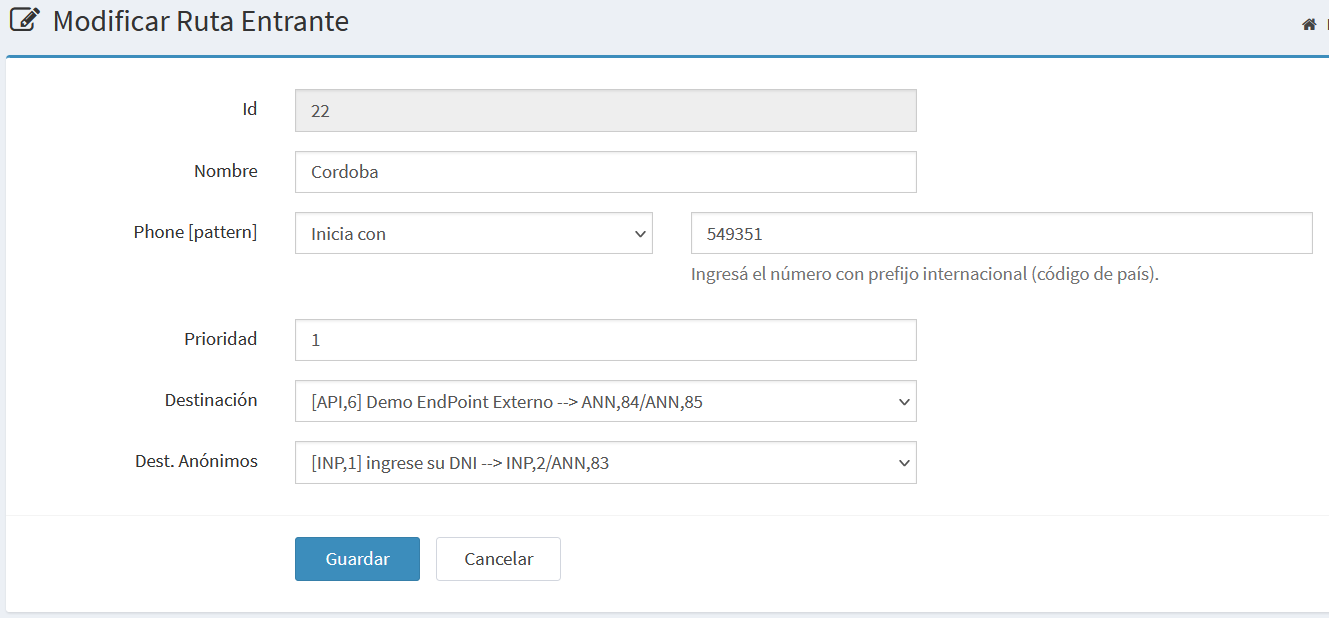
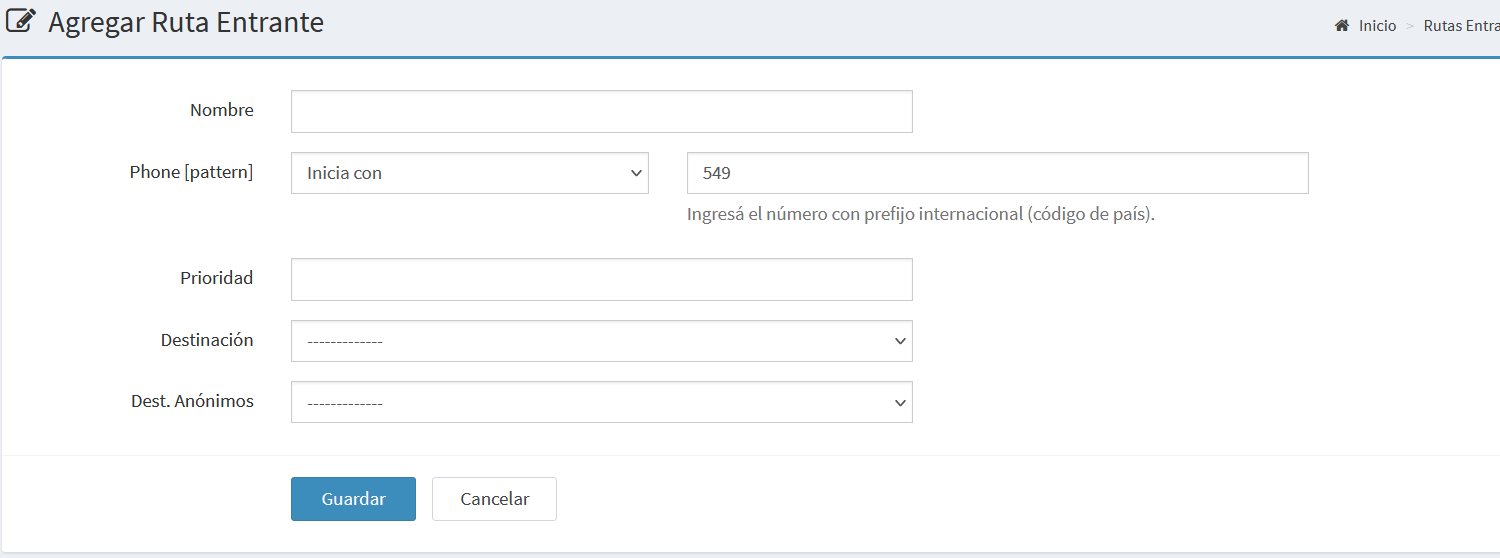
The form allows you to create a new route or modify an existing one.
Edit example
New record example
Main fields
- ID → read-only, visible only when editing.
- Name → short descriptive label.
- Phone [pattern] → exact number, prefix, or all (
%). Always use international format. - Priority → free numeric value that sets evaluation order.
- Destination → action when the number is known (GRP, ANN, ITR, REP, TIC, INP, API, ACT).
- Anonymous destination → action when the number is not in phonebook.
- Buttons: Save and Cancel.