🔐 Login
The Login page in Kewbot allows users to access the platform according to their assigned permissions.
Each user receives a personalized URL when their account is created, from which they can log in to their workspace.
🧭 Login Interface
The login screen displays the company logo, the instance name (e.g., “Kewbot Demo by Solverant OÜ”), and the access form.
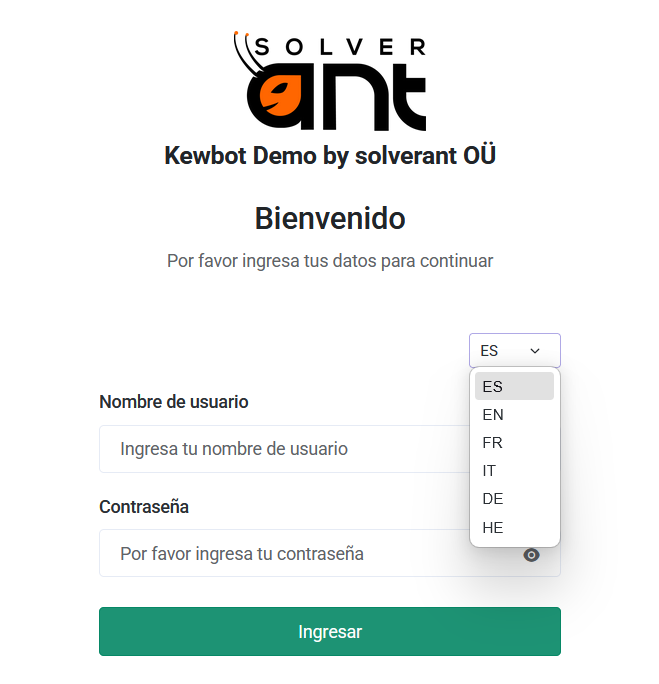
The system supports multiple languages, selectable from the dropdown next to the form.
Available languages:
- Spanish (ES)
- English (EN)
- French (FR)
- Italian (IT)
- German (DE)
- Hebrew (HE)
🔑 Accessing the System
To log in, users must enter:
- Username
- Password
and click Login.
The system validates the credentials and, if correct, displays available access options based on the user’s roles.
👥 View Selection
If the user has multiple roles (for example, Agent and Supervisor/Admin), the system displays an intermediate screen to select the desired view.
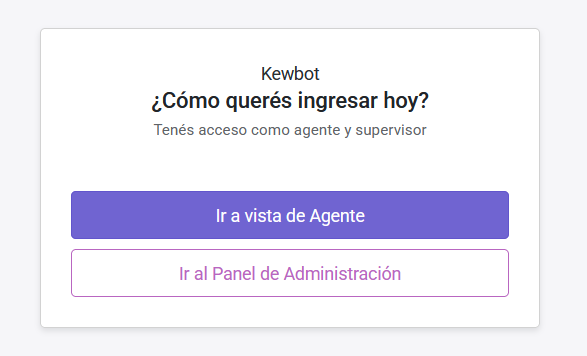
From here, users can choose:
-
🟣 Go to Agent View
→ See Agent Interface documentation -
🩷 Go to Administration Panel
→ See Administration Panel documentation
🌐 Multi-language Support
The entire interface, including the login page, adapts automatically to the selected language.
Texts, buttons, and messages are fully translated.
This feature is part of Kewbot’s integrated translation system, used throughout the agent interface and the admin dashboard.