Quick Answers
Introduction
The Quick Answers module allows you to create and manage a list of predefined responses that agents can use in the agent interface.
Its main purpose is to save time and ensure consistent communication, so agents don’t have to repeatedly type the same information.
Typical use cases:
- Business hours.
- Contact details or addresses.
- Repetitive technical procedures.
- Standard messages with placeholders (e.g., customer name, amount, etc.).
Each quick answer can be associated with one or more agent groups, ensuring that only agents from those groups can use them in their chat interface.
Quick Answers List
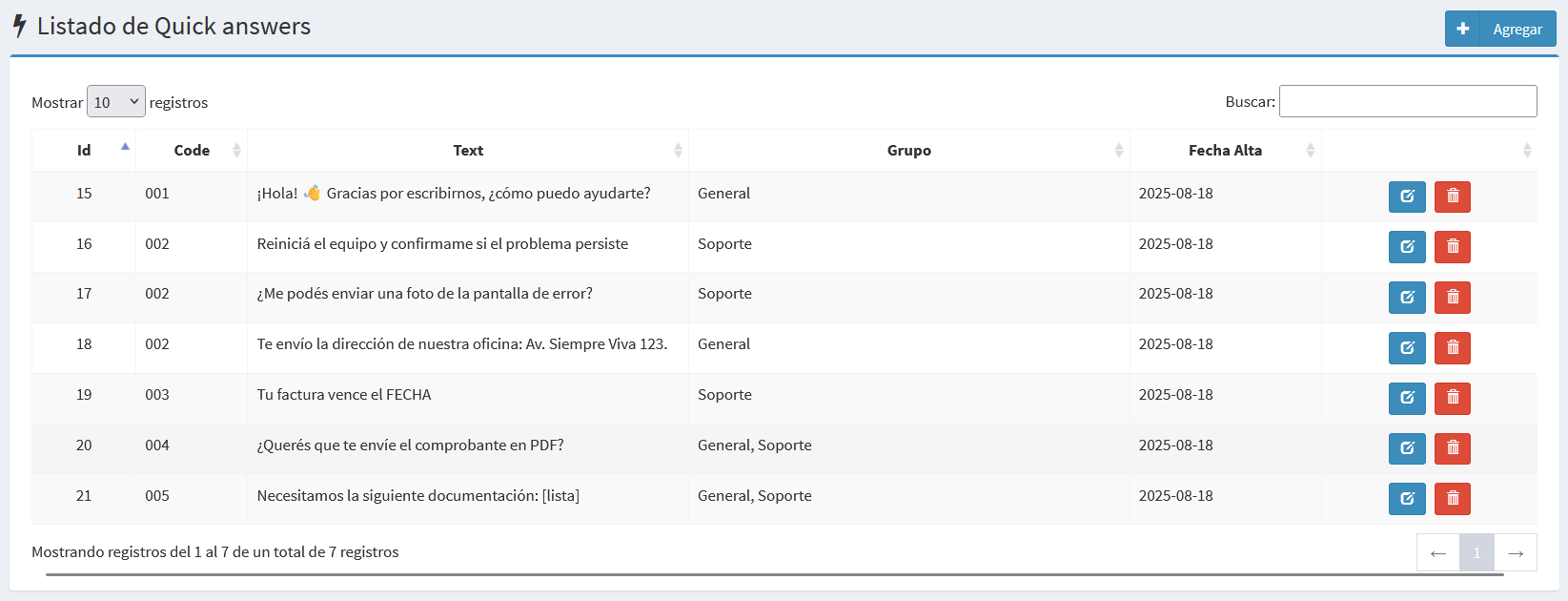
The list includes the following columns:
- Id: Unique identifier.
- Code: Reference code for quick search.
- Text: Response text. Supports emojis and placeholders.
- Group: Groups where the answer is available.
- Created At: Date when the record was created.
- Action: Buttons to edit or delete.
🔎 The search bar allows you to find quick answers by code or by part of the text.
Create / Edit Form
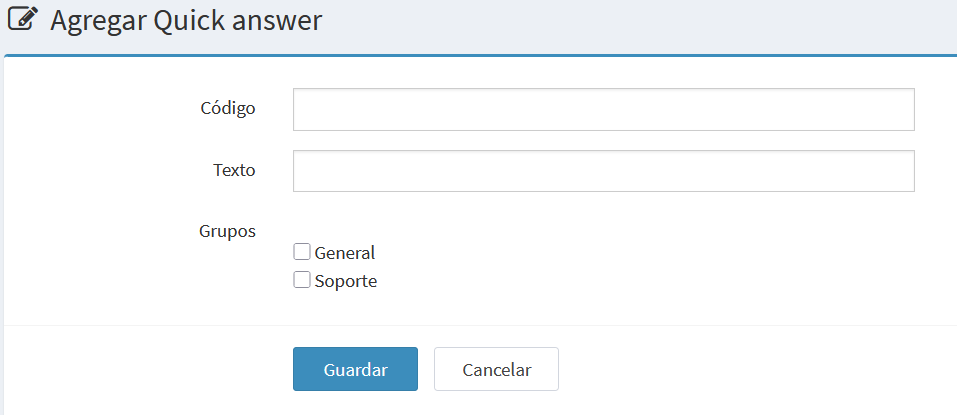
Create a new quick answer
Edit existing quick answer
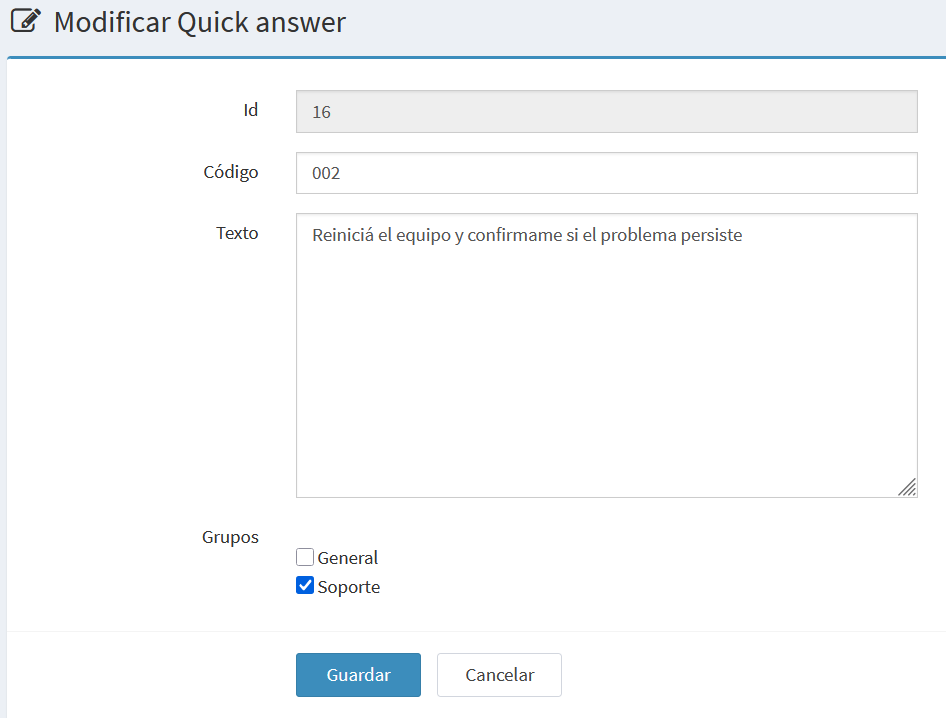
Form fields:
- Id: Unique identifier (read-only in edit mode).
- Code: Reference code for the quick answer.
- Text: Full response text (no length limit, emojis and placeholders allowed).
- Groups: Groups selectable via checkboxes.
- Buttons:
- Save: Saves the quick answer.
- Cancel: Returns to the list without saving.
Notes
- Quick answers are not sent automatically; agents can edit them before sending.
- A quick answer may belong to multiple groups.
- Use consistent coding for easier searching.