⚙️ IFF Conditions
The IFF Conditions module allows you to define logical rules that control the flow of a conversation based on the value of certain system variables.
These variables may have been:
- Retrieved through an API call to an external system.
- Captured through an Input (INP) step within the flow.
In simple terms, an IFF condition acts like a “if this happens → go there” logic that directs the conversation dynamically.
📋 IFF Conditions List
This page displays a general overview of all configured conditions.
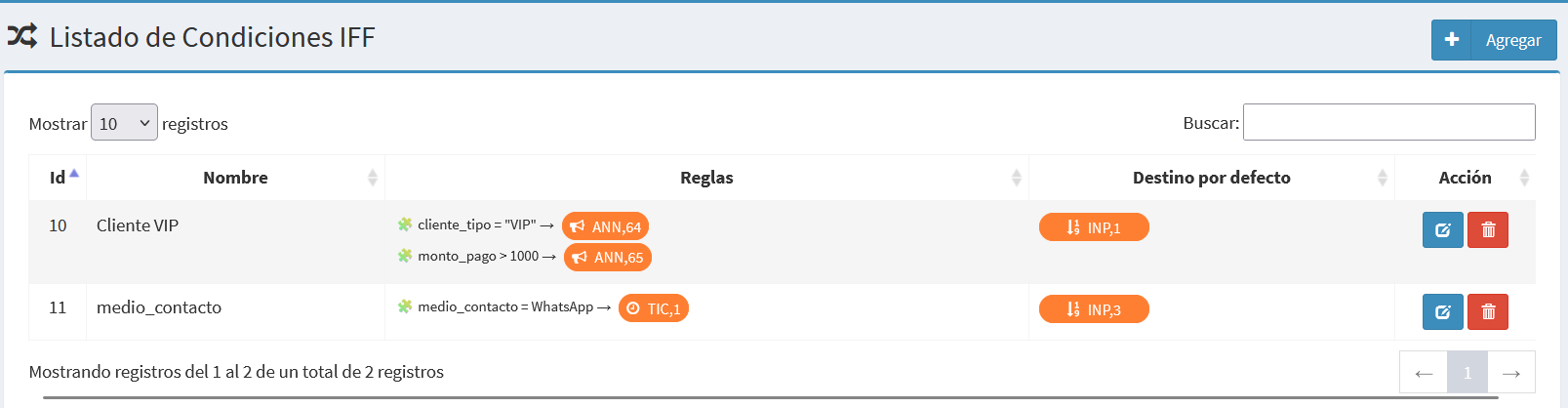
Each row includes:
- ID → Internal numeric identifier.
- Name → Descriptive label of the condition.
- Rules → One or more logical rules composed of variable, operator, value, and destination.
- Default Destination → The fallback route if none of the rules evaluate as true.
- Actions → Buttons to edit ✏️ or delete 🗑️ the condition.
➕ Add IFF Condition
Clicking Add opens the form to create a new condition.
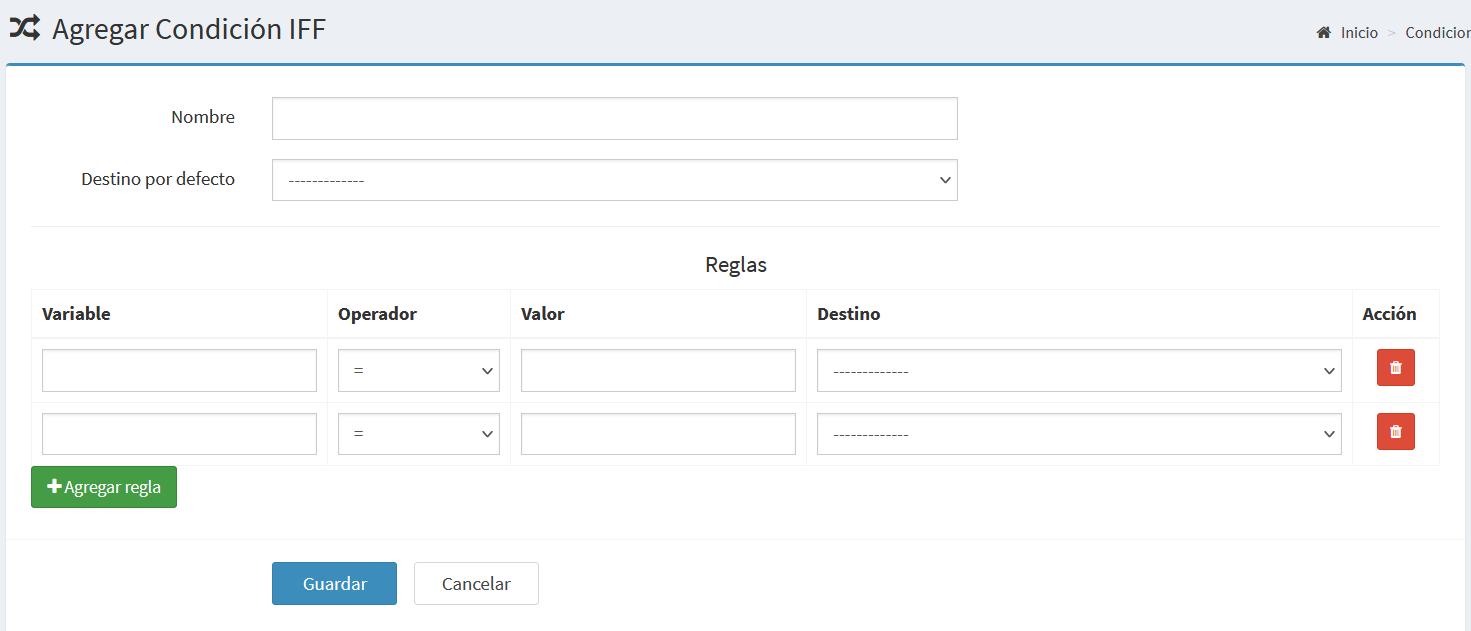
Main fields:
| Field | Description |
|---|---|
| Name | The title or label used to identify the condition. |
| Default Destination | The module or flow to follow if no rules are met. |
| Rules | A list of logical expressions that determine specific destinations. |
🧩 Rules
Each rule consists of four main components:
| Component | Description |
|---|---|
| Variable | The exact system variable name to evaluate. |
| Operator | Logical comparator (=, !=, >, >=, <, <=). |
| Value | The expected or reference value. |
| Destination | The flow that will be executed if the condition is true. |
Example:
- client_type = "VIP" → ANN,64
- payment_amount > 1000 → ANN,65
This means:
- If the client type is VIP → go to announcement
ANN,64. - If the payment amount is greater than 1000 → go to announcement
ANN,65. - If no rule applies → go to the Default Destination.
✏️ Edit Condition
When editing an existing condition, both the name, the default destination, and the rules can be updated.
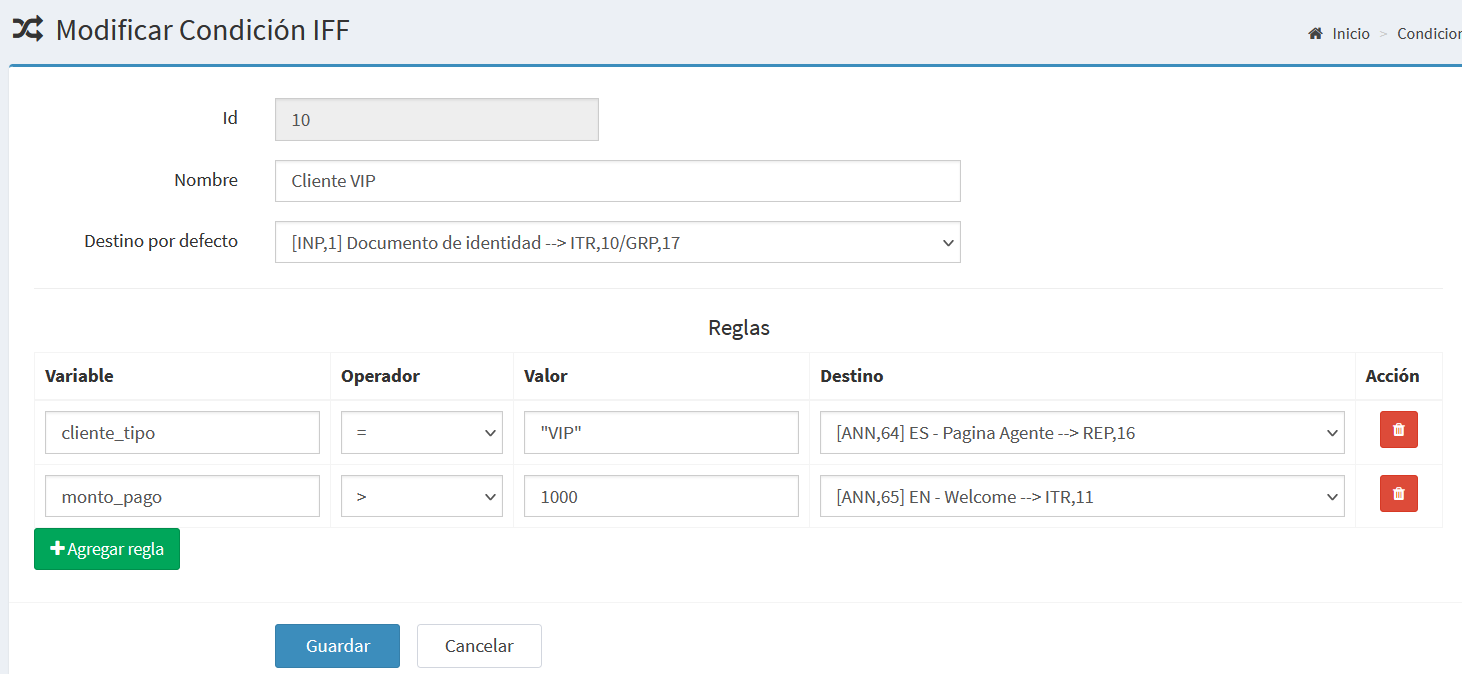
From this screen you can:
- Add or remove rules.
- Change operators or values.
- Redefine destinations (e.g. ITR, REP, ANN, etc.).
🧠 Logical Operation
The system evaluates the rules in order:
- It retrieves the defined variable.
- Compares its current value with the configured rule.
- If the condition is true, the flow is directed to the linked destination.
- If none of the rules are true, it proceeds to the default destination.
🧭 In short, an IFF condition works as an “if / else” structure
that dynamically routes the flow depending on variable values.