Users
Introduction
The Users module manages the access accounts for the Kewbot system.
Each user represents a person interacting with the platform, either as an agent (handling conversations in the agent panel) or as a supervisor (with additional access to reports, configuration, and real-time monitoring).
Users can be assigned to one or more groups, which determines which conversations they can view and manage.
Users List
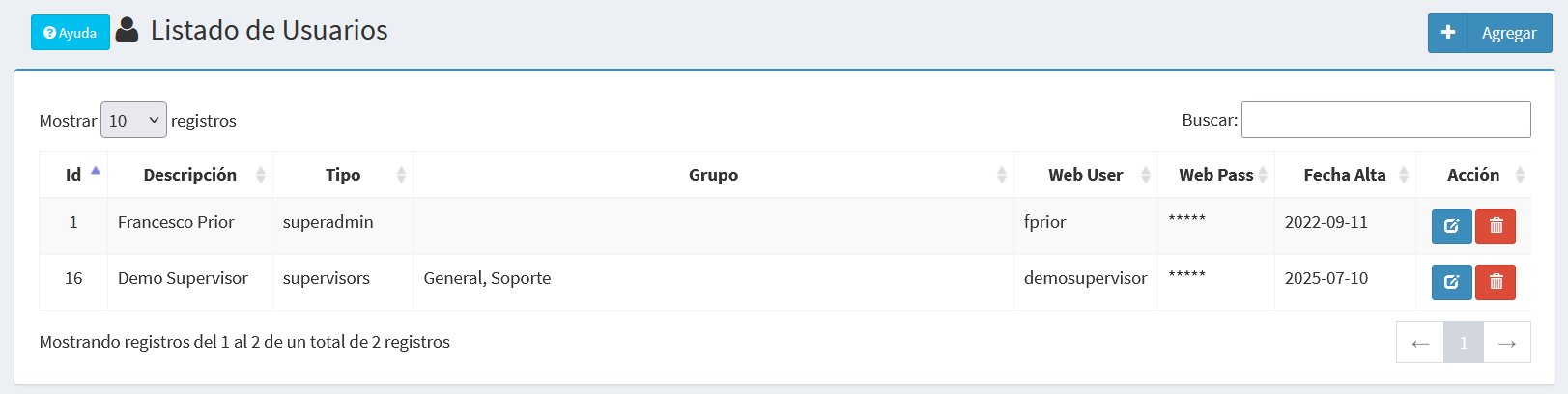
The list displays the following columns:
- Id: Unique identifier for the user.
- Description: User’s name, surname, or another identifier.
- Type: Defines whether the user is an agent or supervisor.
- Agent: Access only to the agent panel to manage conversations.
- Supervisor: Access to the agent panel plus advanced functions like reports, real-time, and system administration.
- Group: Groups the user belongs to.
- Web User: Username for login.
- Web Pass: Login password (hidden in the list).
- Created At: Date the user was created.
- Action: Buttons to edit or delete a user.
Create / Edit Form
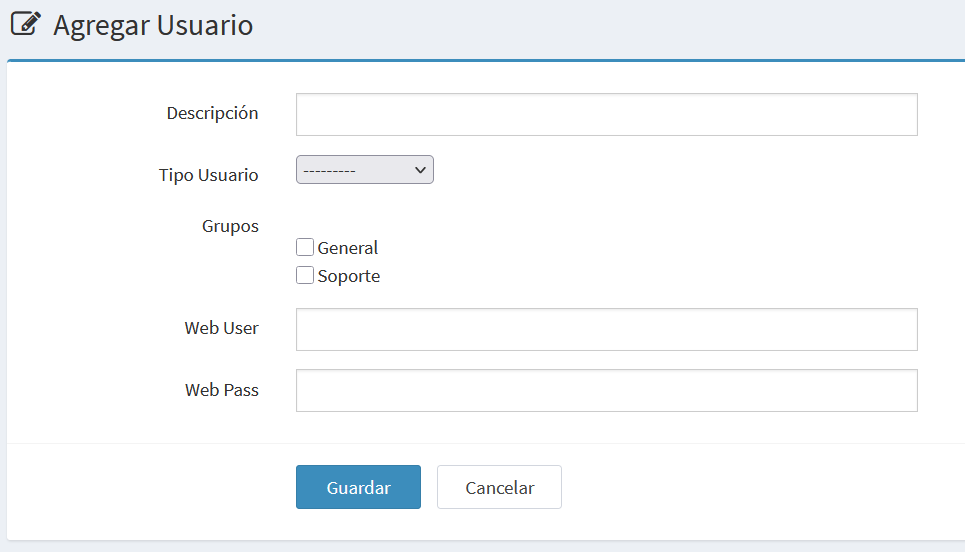
Create new user
Edit existing user
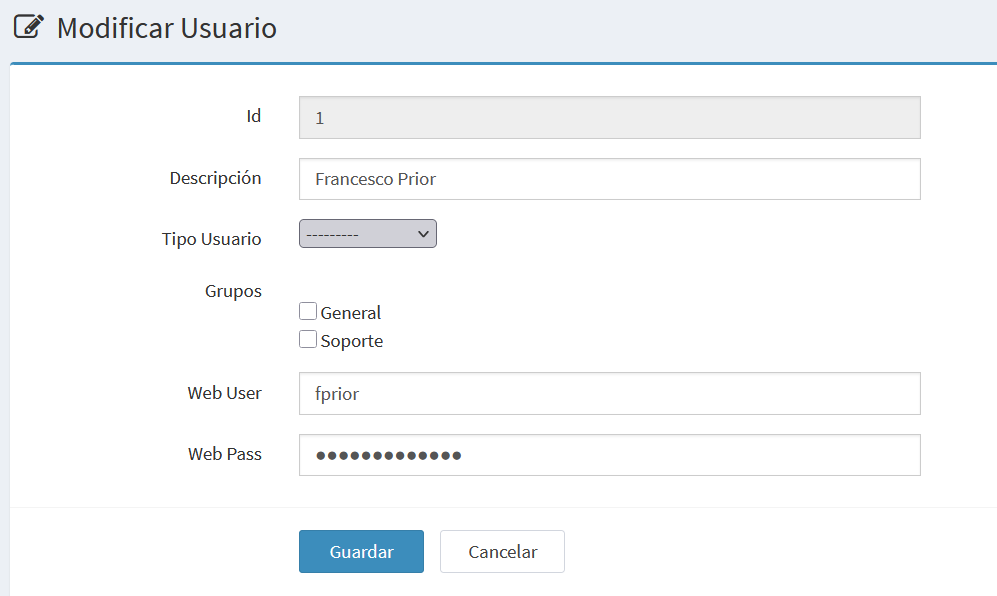
The form includes the following fields:
- Id: Unique identifier (shown only in edit mode).
- Description: Name, surname, or other description.
- User Type: Select between Agent or Supervisor.
- Groups: Available groups, selectable via checkboxes.
- Web User: Username for login.
- Web Pass: Associated password.
- Buttons:
- Save: Saves changes or creates the new user.
- Cancel: Returns to the list without saving.
Notes
- A user may belong to multiple groups.
- Supervisor accounts always include access to the agent panel.
- Use strong passwords and update them regularly.