📊 Metrics > Realtime
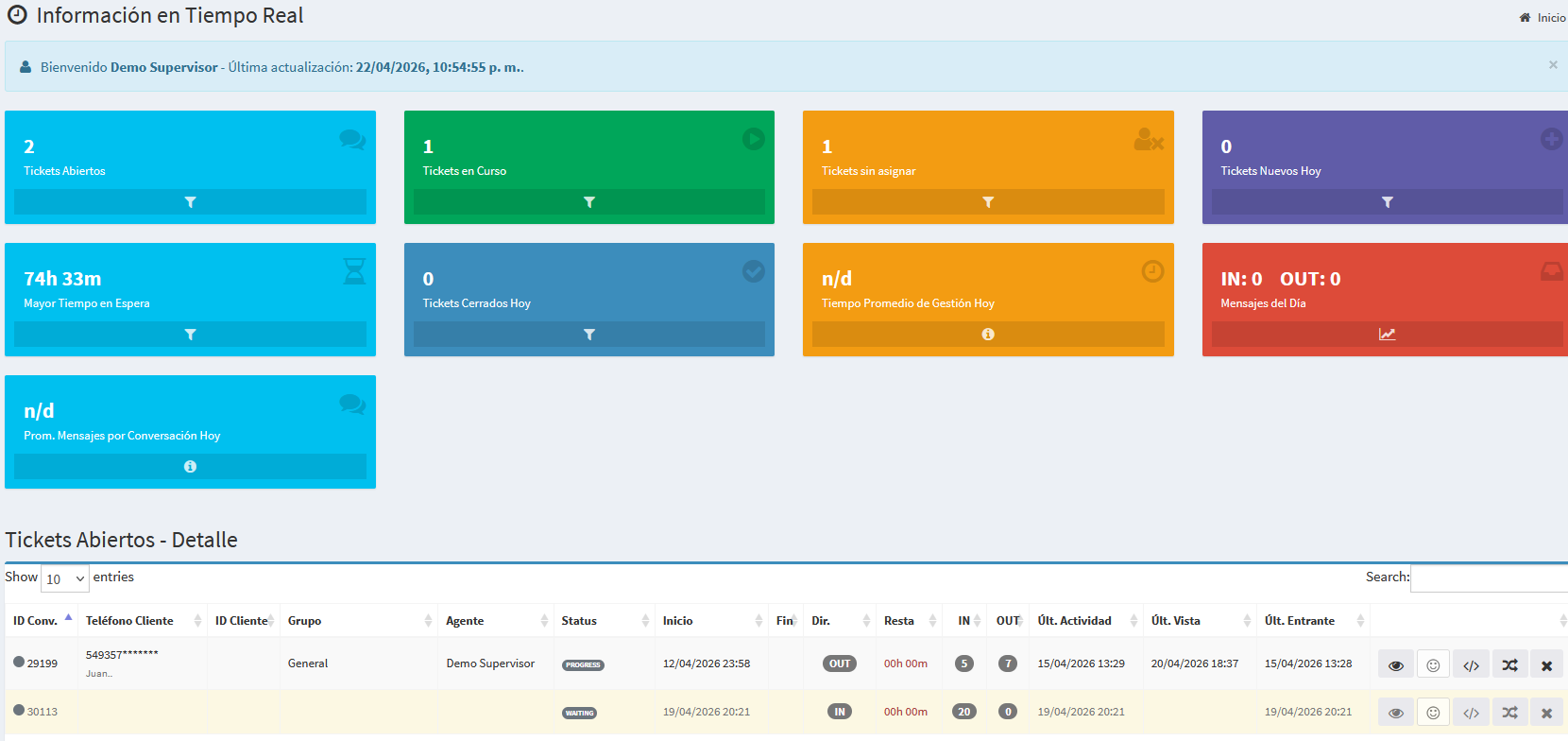
The Realtime page gives supervisors a live operational view of Kewbot: current conversation load, team distribution, and agent performance.
Note: some labels or columns may vary depending on tenant configuration, modules enabled, and user permissions.
What this page is for
- Detect bottlenecks early (growing queue, too many unassigned conversations).
- Identify overloaded or idle agents.
- Make quick decisions: reassign, prioritize, escalate.
- Monitor operations during shift changes or incident peaks.
Filters and controls (top section)
| Field / control |
What it shows |
Why it matters |
| Range / period |
Time window for current view (e.g., last X minutes). |
Focus on immediate operations or short-term trends. |
| Group |
Teams configured in Kewbot. |
Analyze one team’s workload and performance. |
| Agent |
A specific operator user. |
Audit individual activity and load. |
| Channel |
Source channel (according to your setup). |
Compare behavior by channel. |
| Refresh / Auto-refresh |
Automatic update status and manual refresh option. |
Keep metrics current without full page reload. |
| Last updated |
Timestamp of latest dashboard refresh. |
Validate that data is up to date. |
Main KPI cards
| KPI |
What it represents |
How to interpret it |
| Active conversations |
Total conversations currently in progress. |
A rapid increase may signal upcoming saturation. |
| Unassigned |
Conversations not yet taken by an agent/team. |
If this grows, review routing rules and staffing. |
| Pending / waiting |
Open conversations still unresolved. |
Useful to detect operational accumulation. |
| SLA breached / out of target |
Cases exceeding target response/handling time. |
Prioritize these to reduce service risk. |
| Agents online |
Agents currently connected and available. |
Compare available capacity vs incoming demand. |
| Occupancy |
Relationship between active load and team capacity. |
Spot overload or underutilization quickly. |
Agents table (operational detail)
| Column |
What it shows |
Practical use |
| Agent |
Operator name. |
Identify who is handling what. |
| Status |
Available, busy, away, etc. |
Decide where to route new workload. |
| Group |
Assigned team. |
Validate team-level balancing. |
| Active conversations |
Number of current cases handled by the agent. |
Detect individual overload. |
| New assigned |
Recently assigned/taken conversations. |
Track recent intake per agent. |
| Avg response time |
Average response latency for the agent. |
Monitor service speed. |
| Last activity |
Timestamp of latest interaction. |
Detect inactivity quickly. |
Conversations table (live traceability)
| Column |
What it shows |
Practical use |
| Conversation ID |
Unique case identifier. |
Auditing and traceability. |
| Contact / customer |
Contact name or identifier. |
Locate conversations fast. |
| Status |
Open, in progress, pending, closed, etc. |
Understand service stage. |
| Assigned to |
Current responsible agent. |
Confirm conversation ownership. |
| Group |
Team handling the conversation. |
Verify operational distribution. |
| Last message |
Time/type of latest conversation event. |
Prioritize oldest silent conversations. |
| Queue time / age |
Time since intake or last key status change. |
Aging-based prioritization. |
| Tags |
Labels applied to the conversation. |
Segment by topic, priority, campaign, etc. |
| Source |
Campaign, inbound route, ITR, or entry source. |
Diagnose performance by source. |
Common actions from Realtime
- Open conversation for full context.
- Reassign across agents or groups.
- Take conversation (if enabled by flow and permissions).
- Apply fast filters during incidents (team, status, aging).
Supervision best practices
- Review Unassigned + SLA breached first.
- Balance workload by agent before mass reassignment.
- Combine Realtime view with tags and conversation source.
- At shift close, ensure aged conversations still have clear ownership.