Time Conditions
Introduction
Time conditions define routing rules based on the current day and time.
They are built on top of time ranges, combining one or more previously created ranges and determining what action to take depending on whether the condition is met or not.
Key Benefits
- Ensure conversations are routed only during defined working hours.
- Provide alternative messages outside working hours (e.g., auto announcement for closure).
- Add flexibility to communication flows (e.g., weekdays vs. weekends vs. holidays).
- Avoid leaving customers without response by having a failover destination.
- Easily validate current status with the green indicator that highlights the active condition in real time.
Listing
The management page displays all defined conditions:
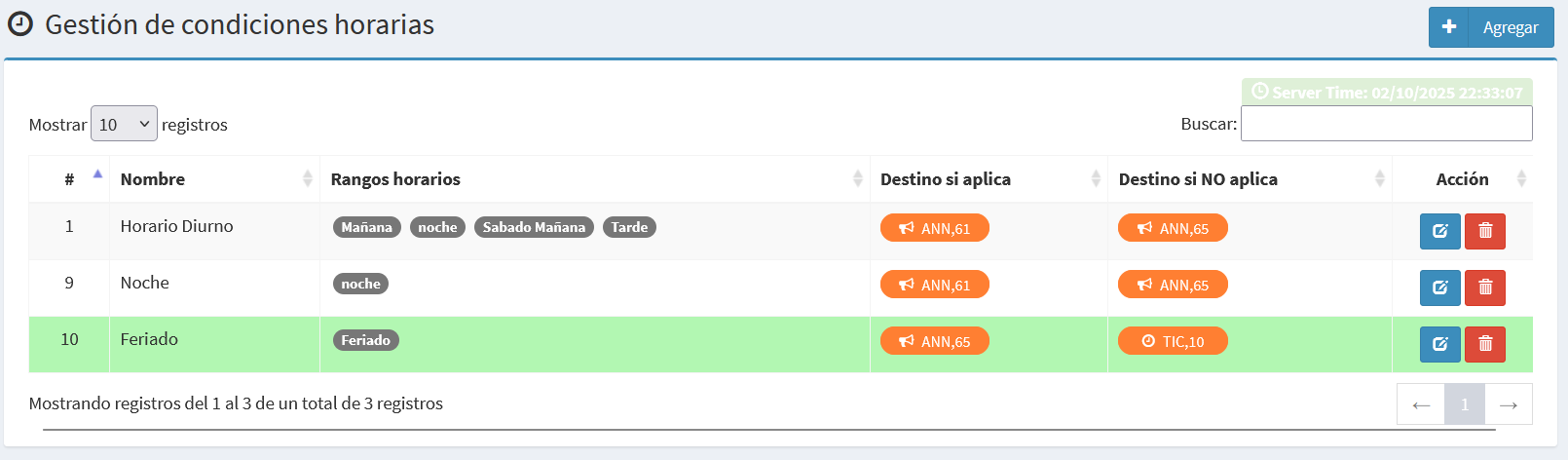
- Id: Unique identifier of the condition.
- Name: Descriptive label (e.g., Daytime, Night, Holiday).
- Time ranges: Selected ranges from the available list.
- Destination if applies: The action or module to redirect when the condition is met.
- Destination if NOT applies: The alternative action when the condition is not met.
- Action: Buttons to edit or delete the condition.
👉 The page also shows the current system time, and highlights in green the condition that is active at that moment.
Create/Edit Form
Forms allow creating or editing time conditions.
Edit Time Condition
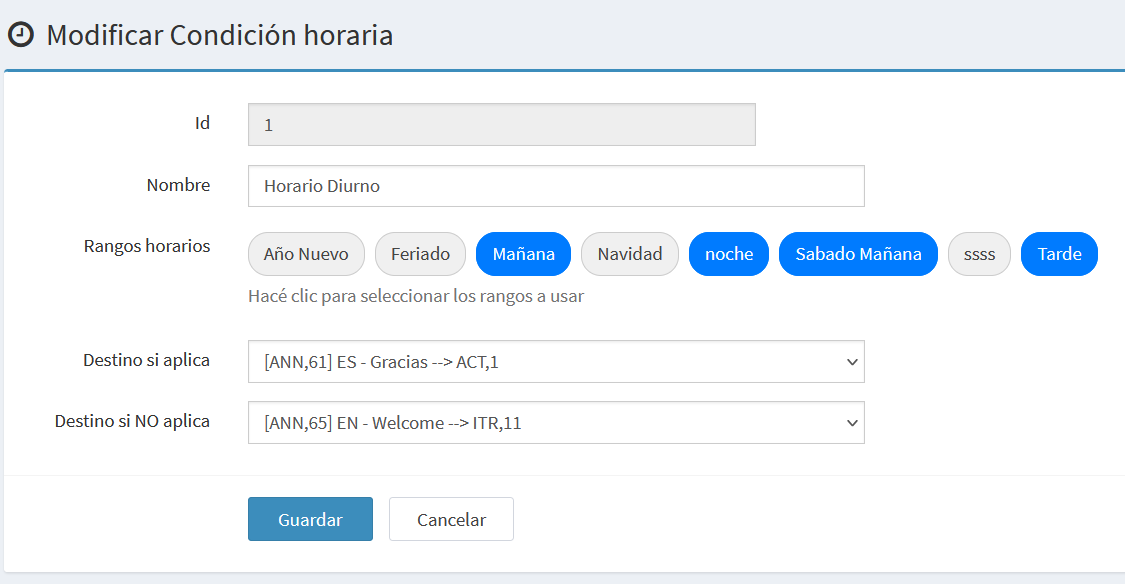
- Id: Internal identifier, read-only.
- Name: Descriptive label for the condition.
- Time ranges: List of available ranges, multiple selections allowed.
- Destination if applies: Target when the condition is met.
- Destination if NOT applies: Target when the condition is not met.
Add a New Time Condition
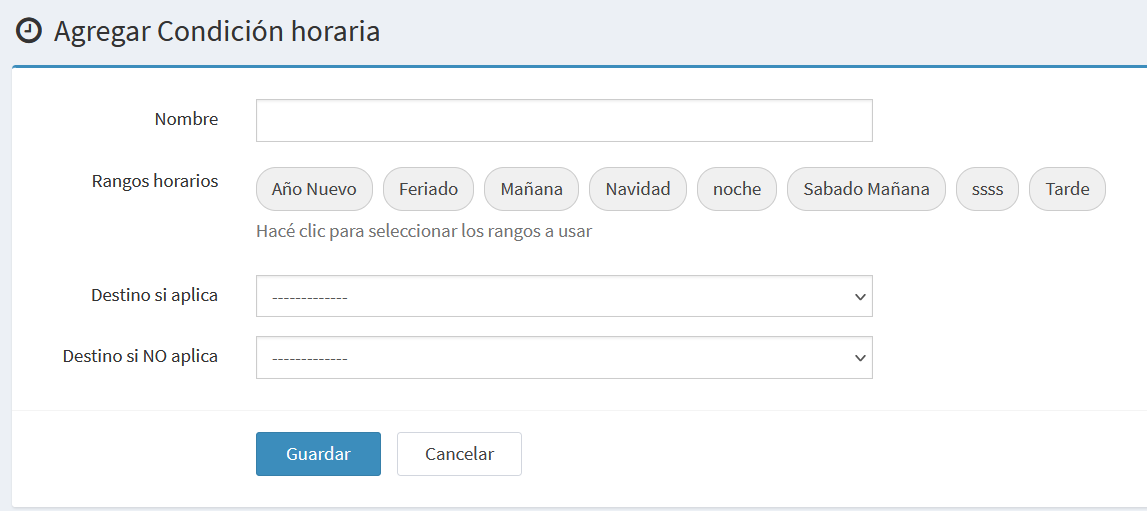
Same fields as the edit form, except that the Id is not displayed.
Notes and Examples
- A time condition always depends on previously created ranges.
- Multiple ranges can be combined in one condition (e.g., morning + afternoon + Saturday).
- Example:
- Condition Daytime: applies Mon–Fri 08:00–20:00 → destination: agent group.
- If not applies (outside working hours) → destination: closure announcement.