🧩 Parameter Requests (Inputs)
The Inputs feature allows Kewbot to request specific information from the customer during an automated flow (for example, inside an ITR or BOT) and store the response as a conversation variable.
This enables the system to ask for data such as ID number, email address, or payment amount, validate it automatically, and continue the flow accordingly.
📋 List of Requests
This page displays all configured parameter requests.
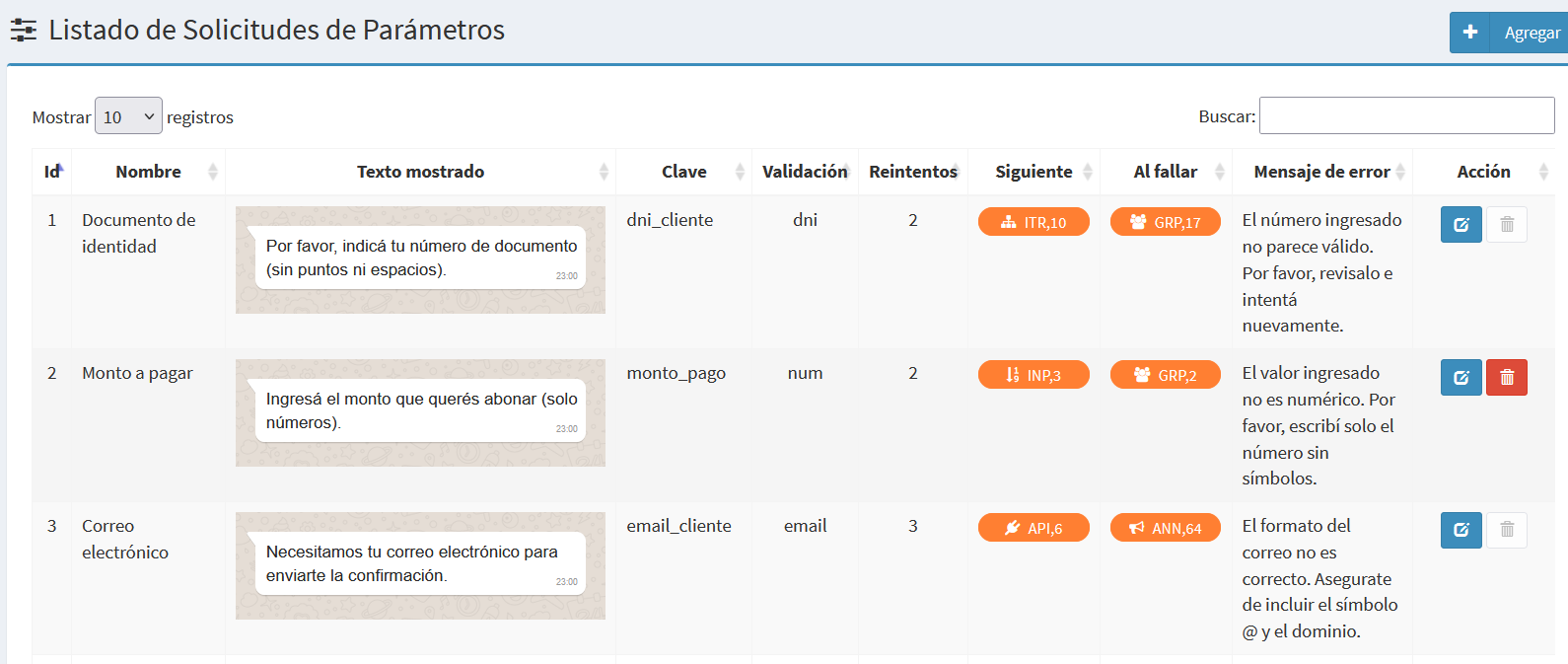
Each row represents a request (or input) and contains the following fields:
| Field | Description |
|---|---|
| Name | Identifying name of the requested parameter. |
| Displayed text | Message sent to the customer asking for the information. A preview of the message is shown. |
| Key | Variable name where the value will be stored in the conversation context. |
| Validation | Type of validation applied to the response (e.g. dni, email, num, options:X,Y,Z). |
| Retries | Maximum number of attempts allowed if the response doesn’t match the expected format. |
| Error message | Text sent to the customer when the answer is invalid. |
| Next | Destination executed if validation succeeds. |
| On fail | Destination executed after the maximum retry count is reached. |
| Action | Buttons to edit or delete the request. |
🆕 Add New Request
Click Add to open the form for creating a new input request.
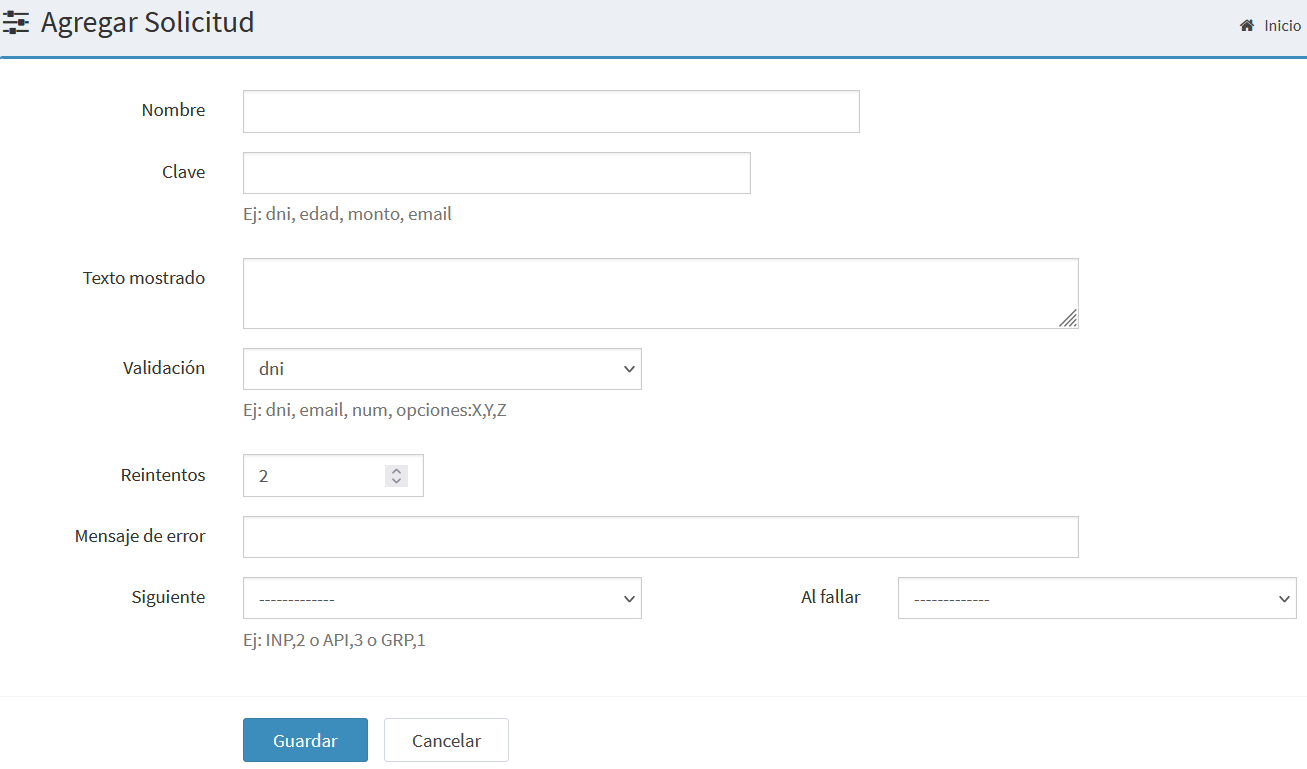
The form contains the following fields:
- Name: Readable description to identify the parameter.
- Key: Variable name that will hold the received value.
- Displayed text: Message sent to the customer to request the information.
- Validation: Expected validation type (
dni,email,num,options:X,Y,Z). - Retries: Number of times the customer can retry if the format is incorrect.
- Error message: Text displayed when an invalid format is detected.
- Next: Destination executed when the input is valid.
- On fail: Destination executed when retries are exhausted.
✏️ Edit Request
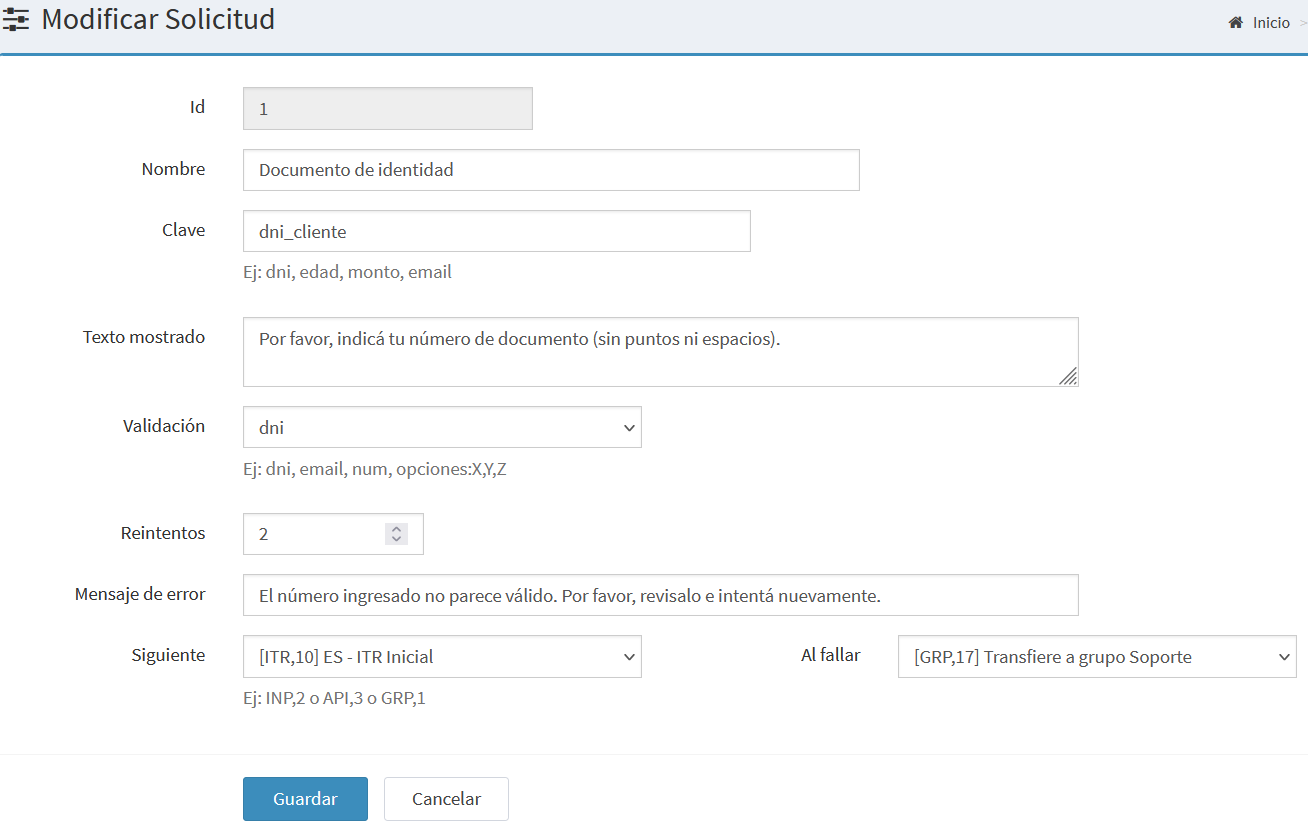
From this view you can modify any existing field, change the request text, or update the next destinations.
🔍 Available Validation Types
| Type | Description |
|---|---|
dni |
Accepts only numbers (7–9 digits). |
email |
Must contain a valid format with @ and domain. |
num |
Accepts only numeric characters. |
text |
Any text, without validation. |
options:X,Y,Z |
Accepts only one of the defined options. |
🧠 Process Logic
- Kewbot sends the Displayed text to the customer.
- When the customer replies, the response is validated according to the chosen type.
- If valid, the value is saved in the variable (Key) and the flow continues to the Next destination.
- If invalid, the Error message is sent and the retry counter increases.
- When retries are exhausted, the flow continues through the On fail destination.