Announcements
Introduction
An Announcement in Kewbot is a predefined message that the system can automatically send to a customer.
It is used to welcome, provide important information, or share specific notices.
Announcements can include different types of multimedia content: - Plain text - Image with text - Document (PDF) - Audio - Video - Location
Each Announcement is not an isolated message: it must always be linked to a destination that defines the next flow after the announcement is sent.
This ensures that if the customer replies, the system knows what to do next (e.g., direct to an ITR, another ANN, an API, a group, etc.).
Announcement List
This screen shows all the announcements defined for the company.
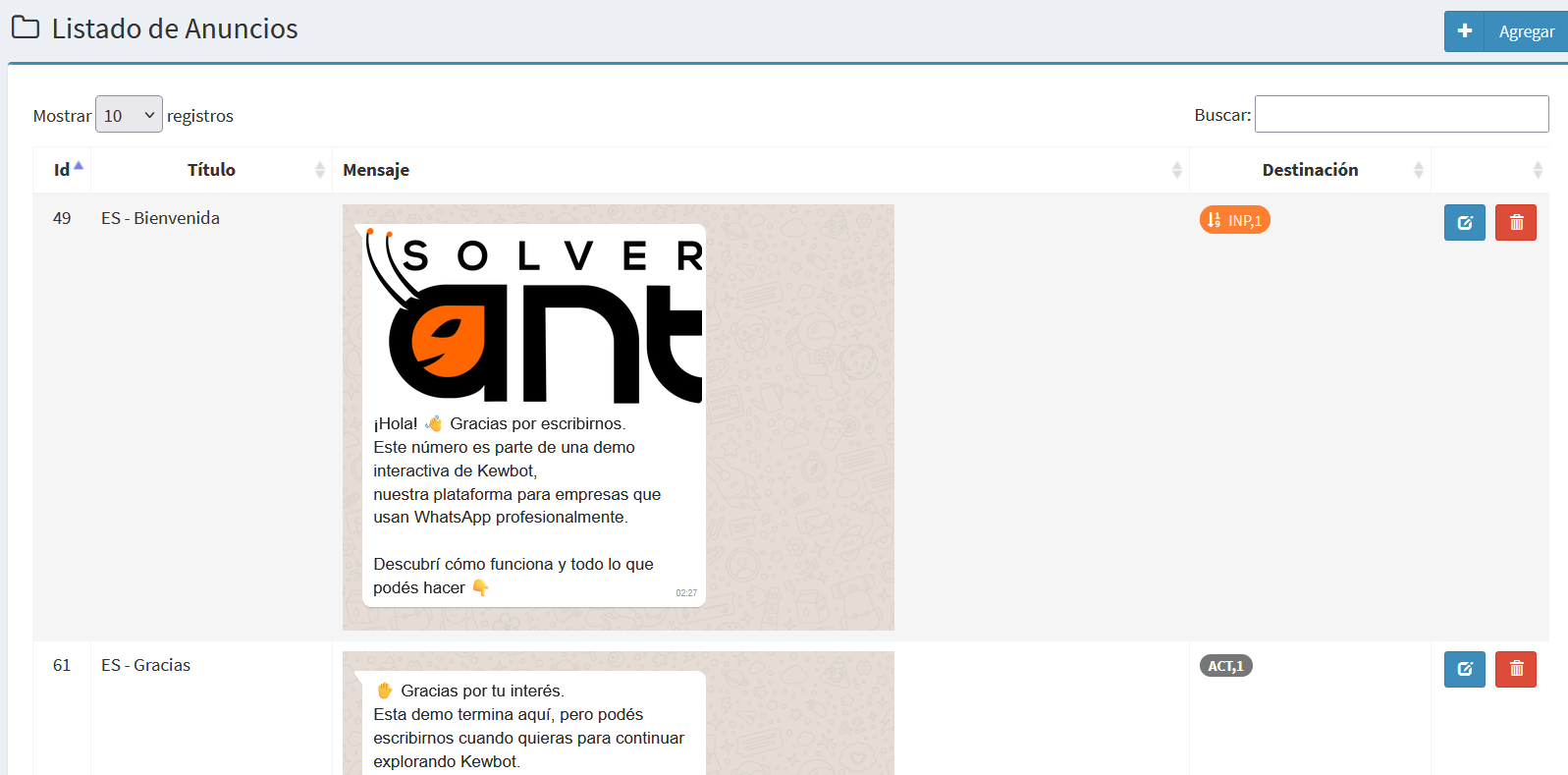
Each row includes:
- ID → unique identifier of the announcement.
- Title → short or descriptive name of the announcement.
- Message → graphical preview of the message to be sent, shown with the WhatsApp look & feel. This allows you to see exactly how the customer will receive it.
- Destination → colored button indicating which entity the conversation will continue with after the announcement. Clicking the button opens the configuration of that entity (examples: ITR, ANN, API, REP, TIC, etc.).
- Actions → buttons to edit or delete the announcement (delete will be disabled if the item is in use by other flows).
The top-right corner includes the Add button to create a new Announcement.
Announcement Creation/Editing Form
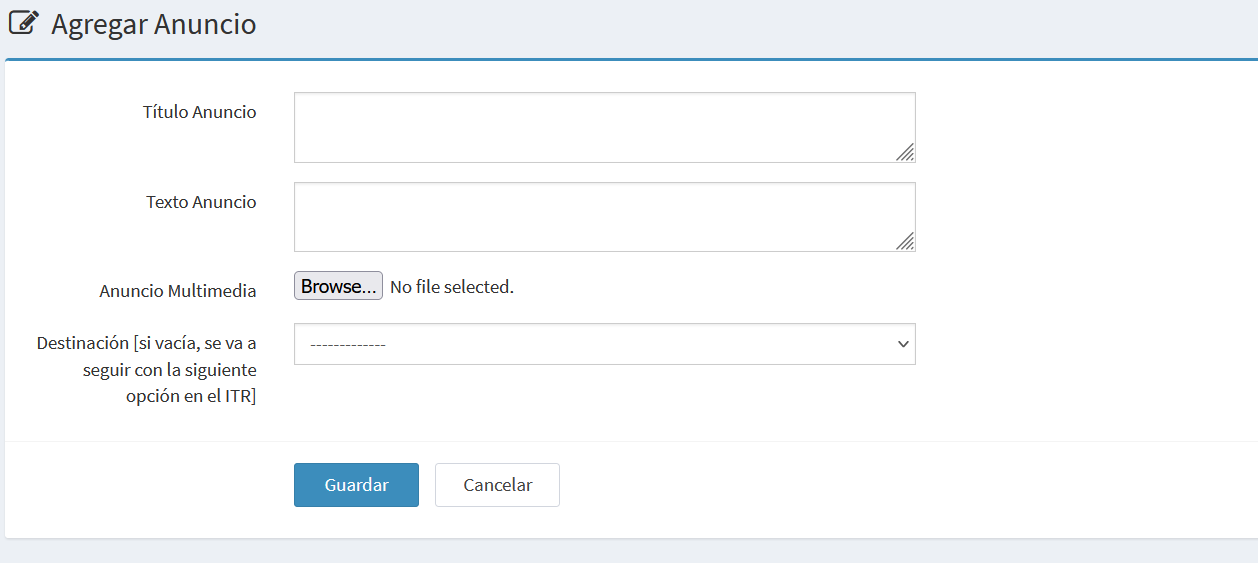
The form allows you to create a new Announcement or edit an existing one.
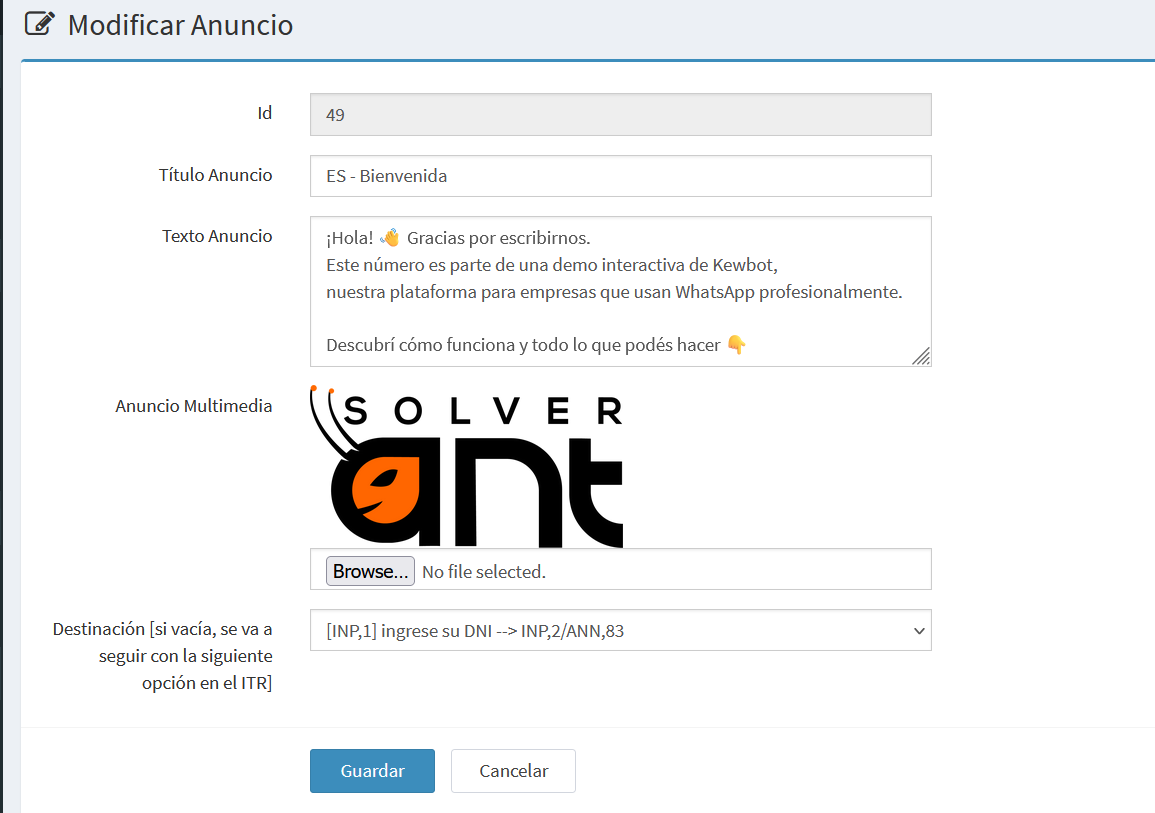
In edit mode, an additional read-only field ID appears, which uniquely identifies the announcement.
Edit Example
Creation Example
Main Fields
- ID → read-only, shown only when editing.
- Announcement Title → a short, descriptive name.
- Announcement Text → main content of the message.
- Can be of any length.
- Supports line breaks.
- Can include emojis.
- Supports WhatsApp formatting:
*text*→ bold_text_→ italic`text`→monospace
- Announcement Media → optional file attached to the text. Can be:
- Image
- Audio
- Document (PDF or others)
- Video
- Location
- Destination → defines the next entity after sending the announcement.
- It is required to guarantee continuity of the flow.
- Selectable among all available entities: ANN, ITR, REP, TIC, INP, API, ACT, GRP, etc.
Actions
- Save → confirm and register the announcement.
- Cancel → discard changes and return to the list.