Conversation Tags
Introduction
Tags allow agents and supervisors to classify conversations quickly and effectively.
They help identify the type of case (e.g., complaint, technical support, payment reminder, etc.), making it easier to organize, track, and generate reports.
A conversation can have one or multiple tags assigned.
Listing
The listing page displays all available tags in the system:
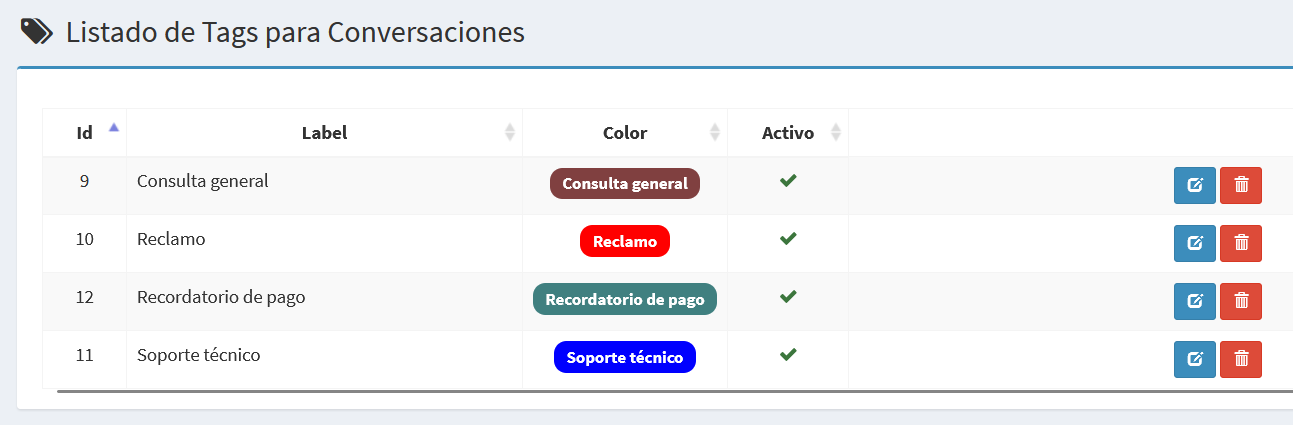
- Id: Unique identifier of the tag.
- Label: The text or name of the tag.
- Color: Shows the tag with the chosen color, exactly as agents will see it.
- Active: Indicates whether the tag is available for use.
- Actions: Buttons to edit or delete the tag.
Create/Edit Form
The forms allow you to create new tags or modify existing ones.
Edit Tag
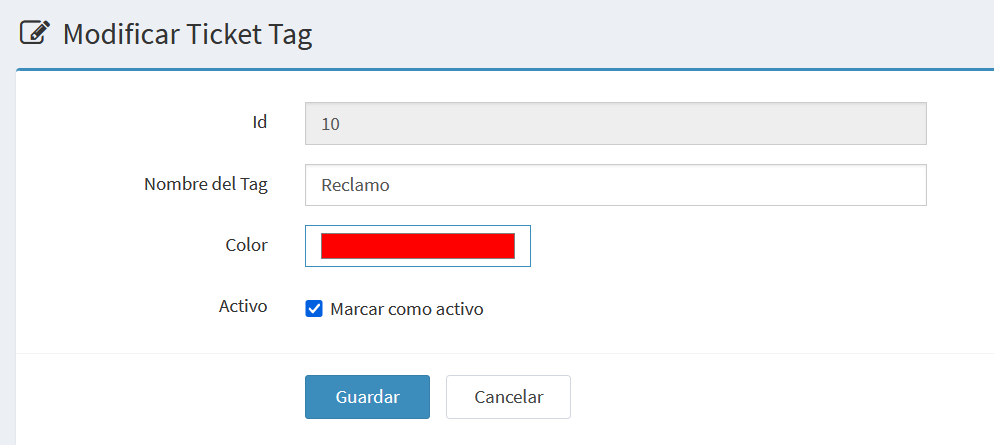
- Id: Internal identifier, read-only.
- Tag Name: Text describing the tag.
- Color: System color selector to assign a distinctive color.
- Active: Checkbox to enable or disable the tag.
Add a New Tag
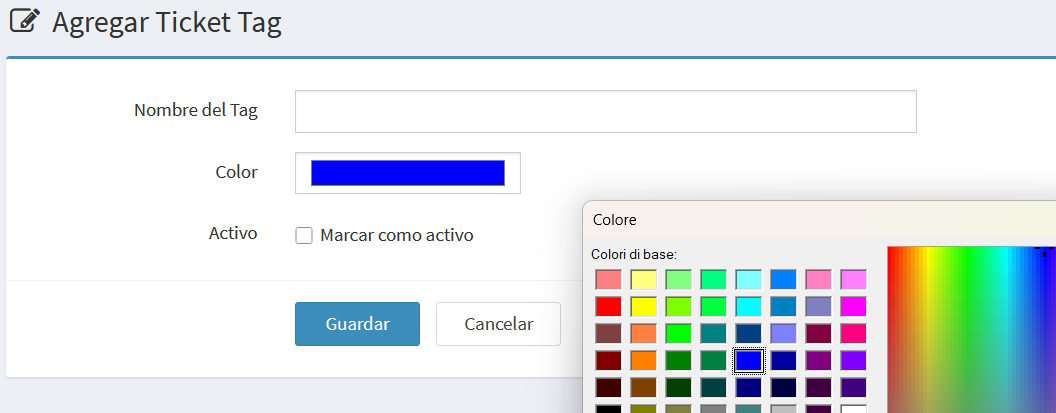
The fields are the same as the edit form, except that the Id is not shown.
Notes and Examples
- A ticket can have multiple tags at the same time.
- It is recommended to define a clear and consistent set of tags for the team.
- Example tags: General inquiry, Complaint, Technical support, Payment reminder.