ITR (Interactive Text Response)
Introduction
The ITR (Interactive Text Response) module allows you to create interactive messages within the WhatsApp API.
It is based on the same concept as an IVR (Interactive Voice Response) in telephony systems, but adapted to chat: the user receives an introductory message with a list of options to choose from.
⚠️ Note: ITR messages are not available in the regular WhatsApp Business App, only via the WhatsApp API.
The main advantage is providing customers with a graphical, intuitive way to select an option, allowing the system to route the conversation accordingly.
An ITR message includes:
- Header: Short text (up to 60 chars, emojis allowed).
- Body: Main text (up to 1024 chars, emojis allowed).
- Footer: Complementary text (up to 60 chars, no emojis).
- List Title: Text for the initial button (up to 20 chars).
When the user clicks the button, a list of options grouped into sections is displayed. Each option contains:
- Short bold title.
- Longer description.
- Destination: Action triggered (Announcement, Group, Agent, Time Condition, External API, etc.).
ITR List
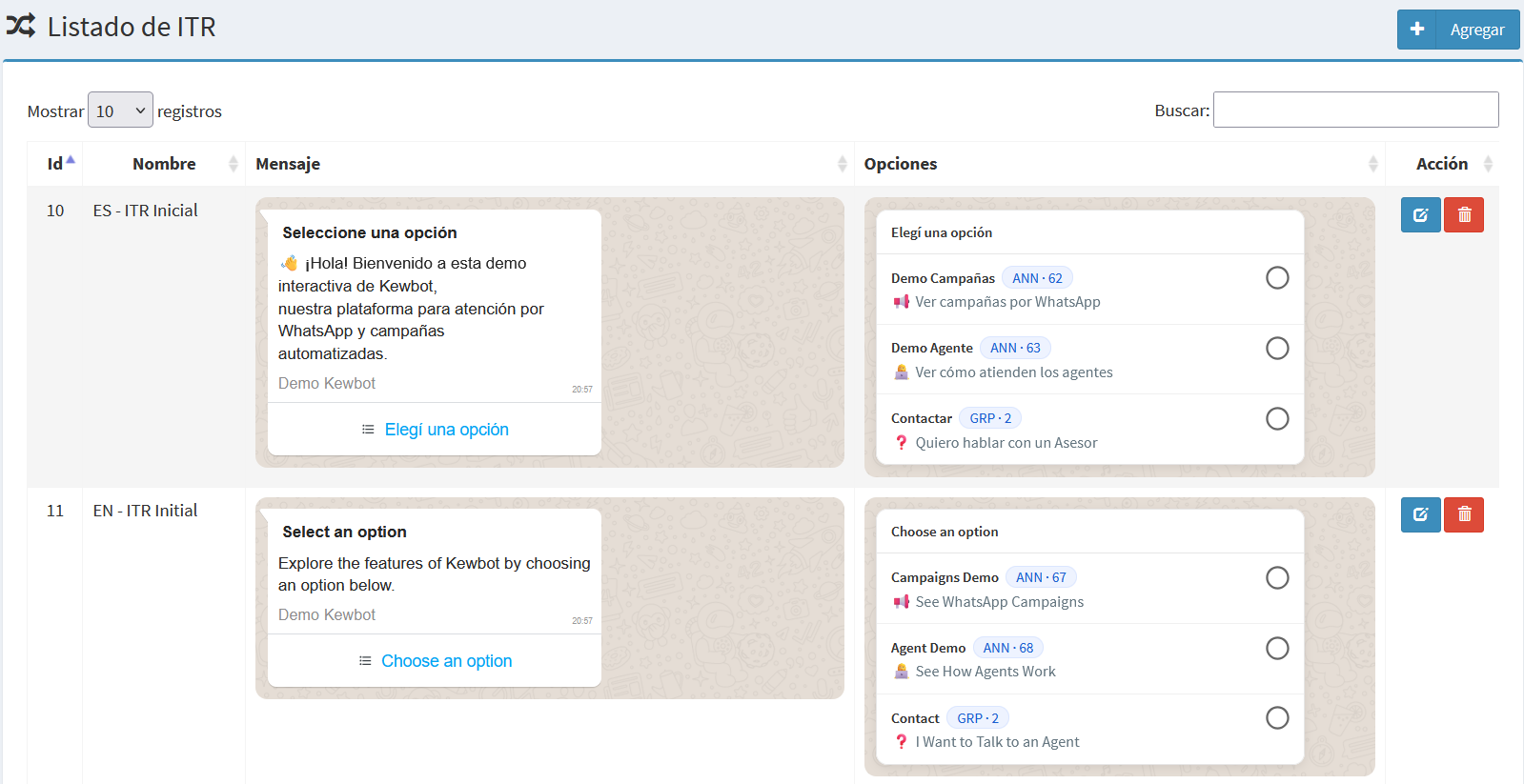
The list shows:
- Id: Unique identifier.
- Name: Descriptive title of the ITR.
- Message: Preview of the full message (header, body, footer, list button).
- Options: Each option with title, description, and destination.
- Action: Buttons to edit or delete an ITR.
Create / Edit Form
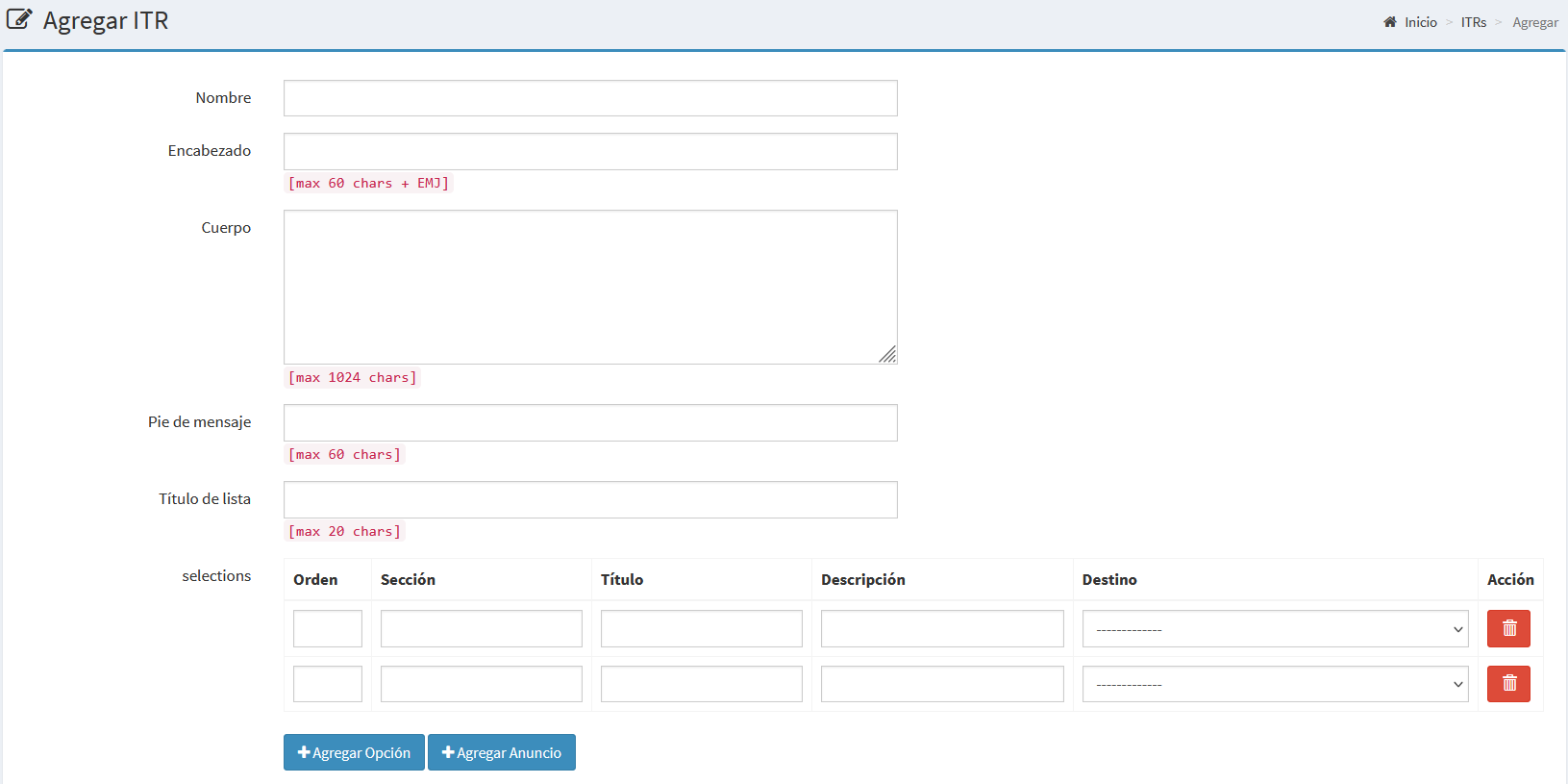
Create new ITR
Edit existing ITR
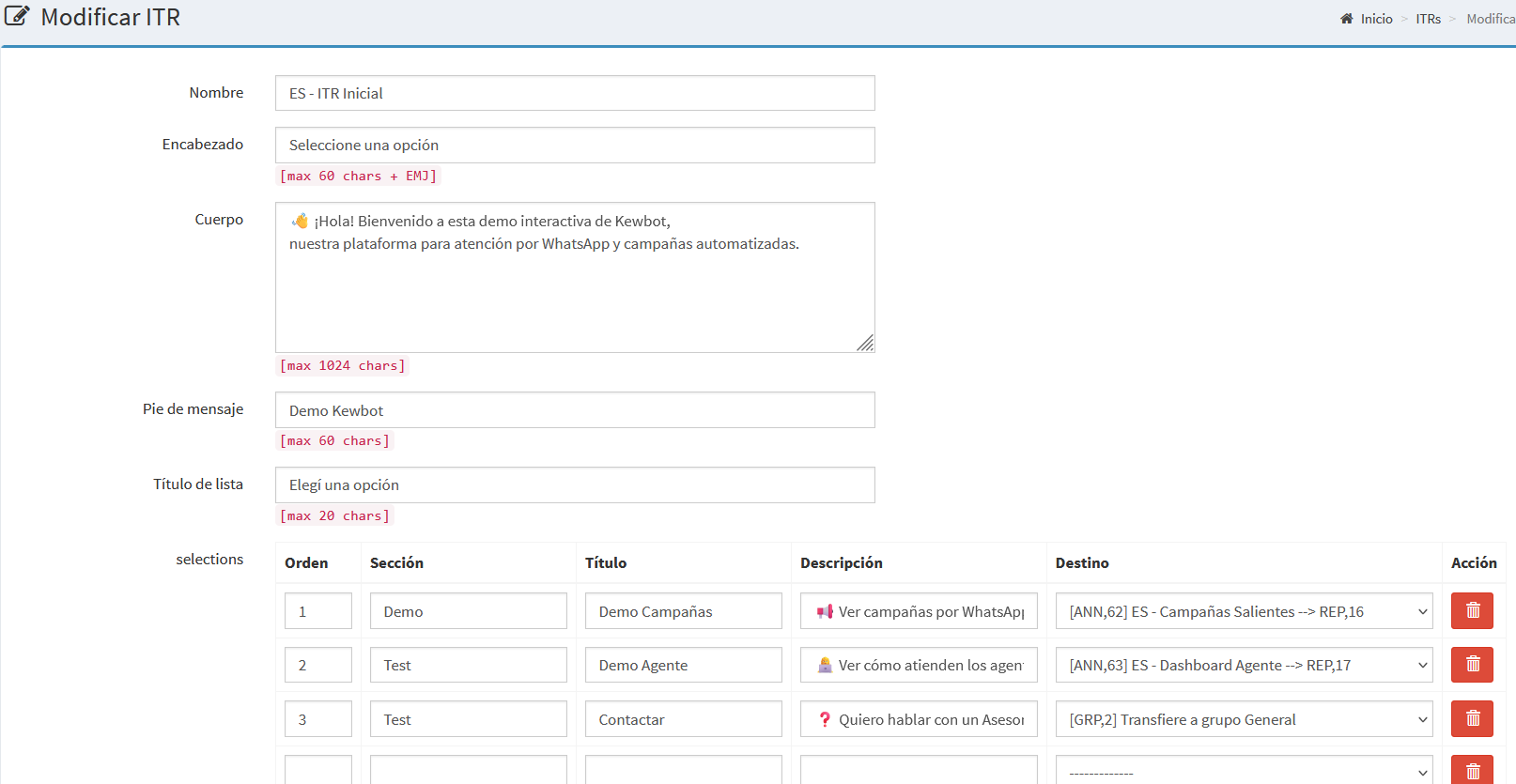
Form fields:
- Name: Descriptive text to identify the ITR.
- Header: Short text (max 60 chars, emojis allowed).
- Body: Main text (max 1024 chars, emojis allowed).
- Footer: Complementary text (max 60 chars, no emojis).
- List Title: Text for the initial button (max 20 chars).
- Options (up to 10):
- Order: Number that defines the position.
- Section: Category for grouping options.
- Title: Short bold text.
- Description: Longer explanatory text.
- Destination: Action executed when selected.
- Action: Delete option.
- Buttons:
- Add Option
- Add Announcement
- Save / Cancel
Notes
- ITRs simplify the first interaction with customers and reduce handling time.
- Options are automatically grouped by section.
- The destination defines the next step: agents, groups, IVRs, external APIs, etc.