Contact Tags
Introduction
Contact tags allow you to classify and segment customers on a permanent basis.
Unlike conversation tags, which apply only within a single interaction, contact tags remain linked to the customer until they are updated or removed.
This makes it possible to categorize clients by geographic area, language, profile (e.g., VIP, recurring, new), age group, or any other relevant attribute.
Listing
The listing page displays all available tags:
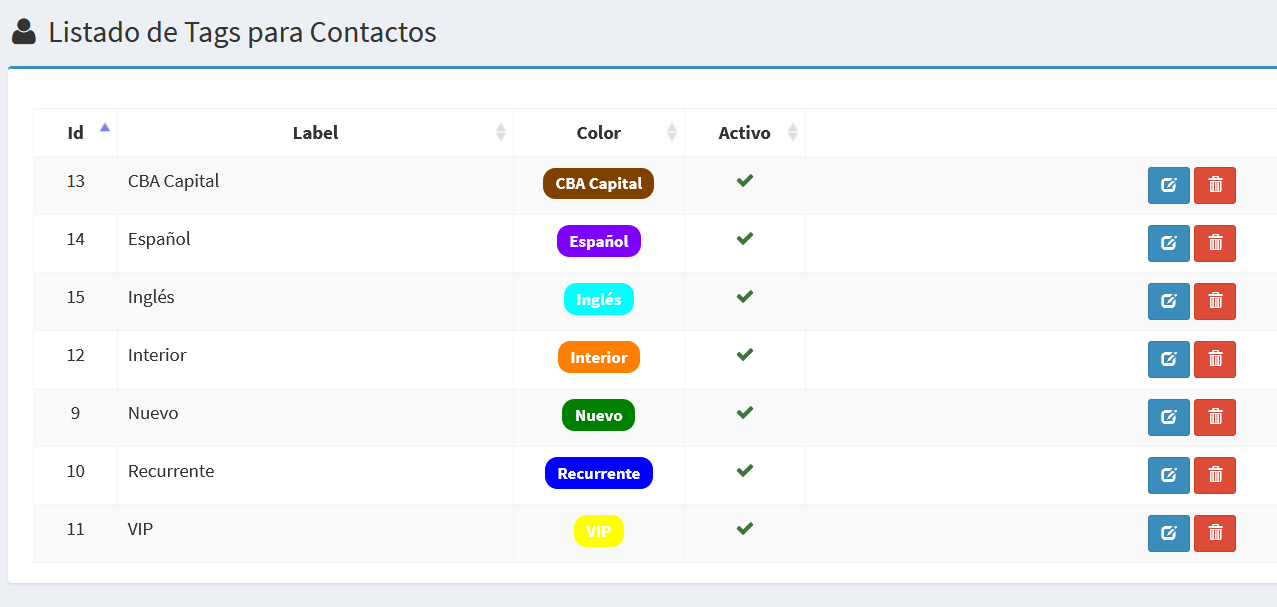
- Id: Unique identifier of the tag.
- Label: The name or text of the tag.
- Color: Displays the label with the chosen color, as it will appear in the system.
- Active: Indicates whether the tag is enabled for use.
- Actions: Buttons to edit or delete the tag.
Create/Edit Form
The forms allow you to create new tags or update existing ones.
Edit Tag
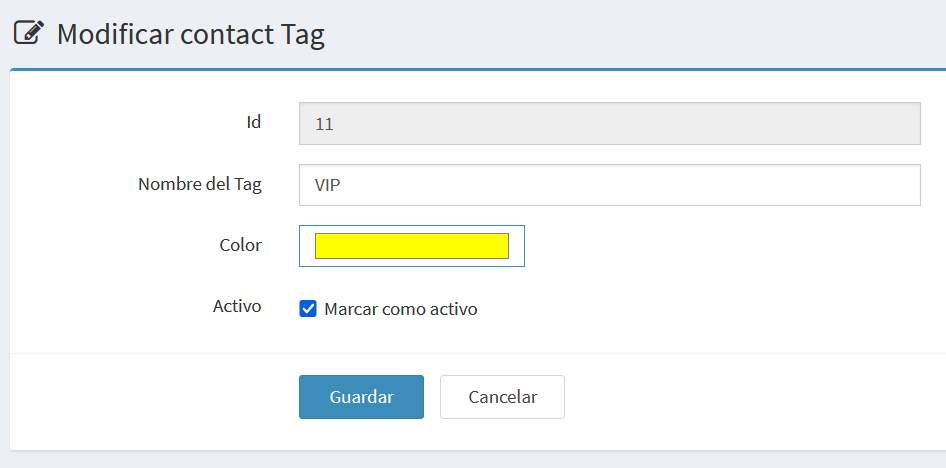
- Id: Internal identifier, read-only.
- Tag Name: Text describing the contact category.
- Color: System color picker to assign a distinctive color.
- Active: Checkbox that indicates whether the tag is enabled.
Add a New Tag
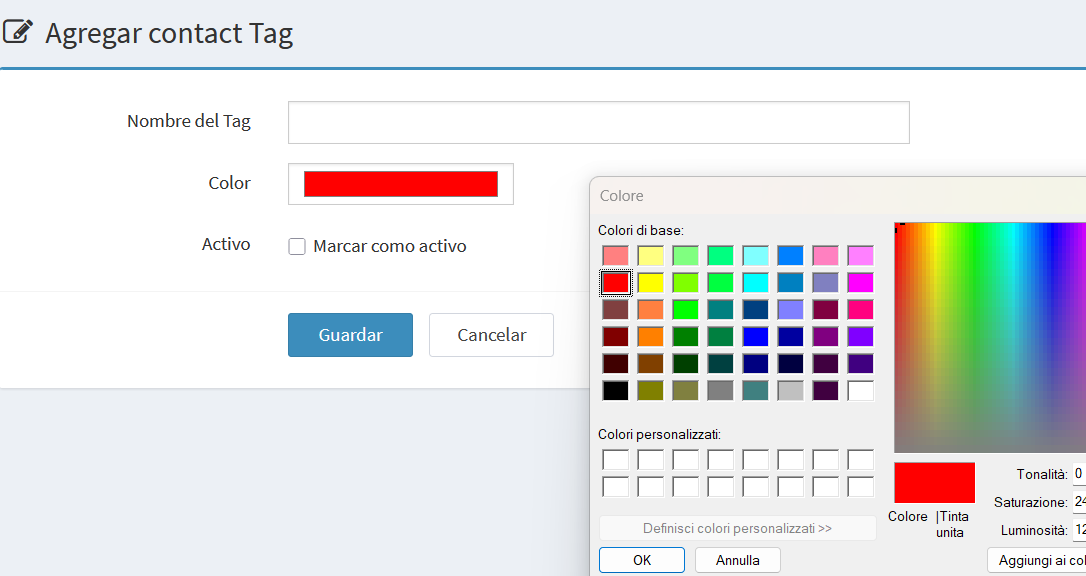
The fields are the same as in the edit form, except the Id field is not shown.
Notes and Examples
- Contact tags are persistent and remain beyond a single conversation.
- Multiple tags can be applied to the same contact.
- Example tags: New, Recurring, VIP, Spanish, English, Interior.