Time Ranges
Introduction
Time ranges are blocks of time that define specific working or service periods within the system.
They are the basic units later used in Time Conditions to decide which path or action to follow depending on the day and time.
A time range can be defined by:
- Days of the week (e.g., Monday to Friday).
- A time slot within those days (e.g., 08:00 to 13:00).
- A specific date (e.g., holidays such as Christmas or New Year’s Day).
This allows scenarios like:
- Monday to Friday with morning and afternoon shifts.
- Reduced hours on Saturdays.
- Full-day holidays with no service.
Listing
The listing page shows all configured ranges:
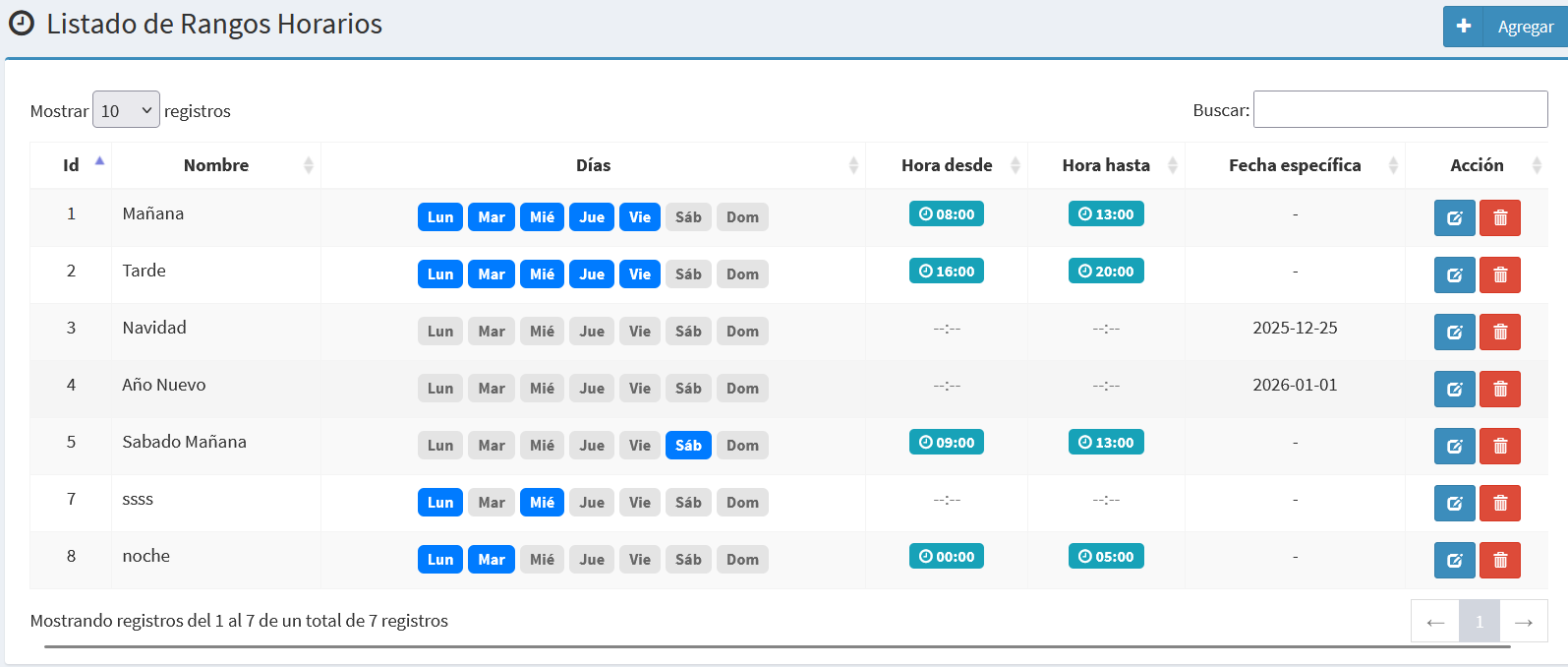
- Id: Unique identifier of the range.
- Name: Short descriptive label (e.g., Morning, Afternoon, Saturday Morning).
- Days: Days of the week when the range applies.
- From / To: Time slot in
HH:mmformat. - Specific Date: Exact date (e.g., holidays).
- Action: Buttons to edit or delete a range.
Create/Edit Form
Forms allow creating or modifying time ranges.
Edit Time Range
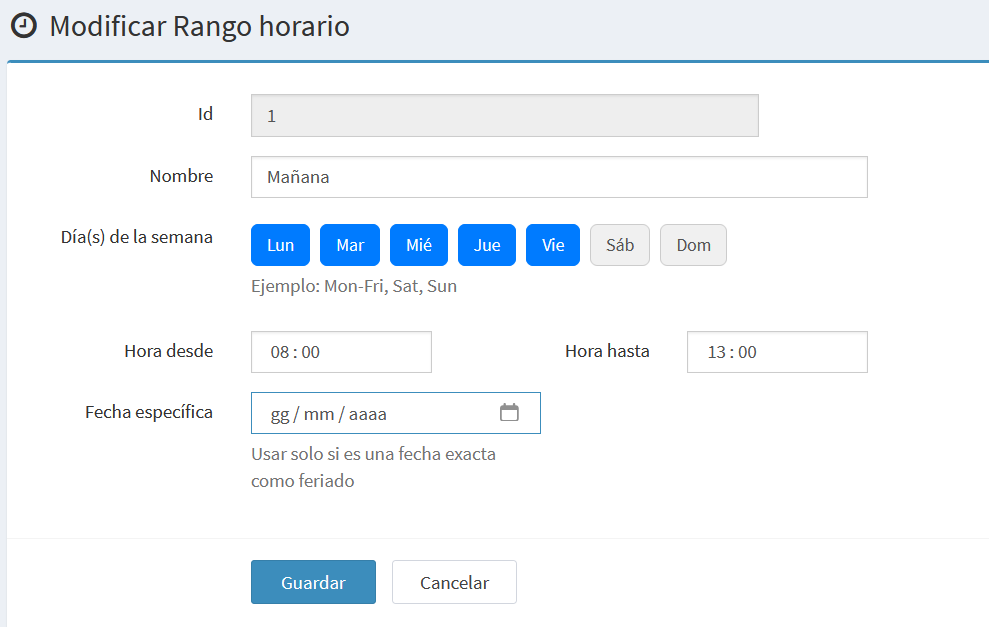
- Id: Internal identifier, read-only.
- Name: Short descriptive label for the range.
- Day(s) of the week: Selector for Monday through Sunday (click to select/deselect).
- From / To: Time slot in
HH:mmformat. - Specific Date: Exact date, mainly for holidays.
Add a New Time Range
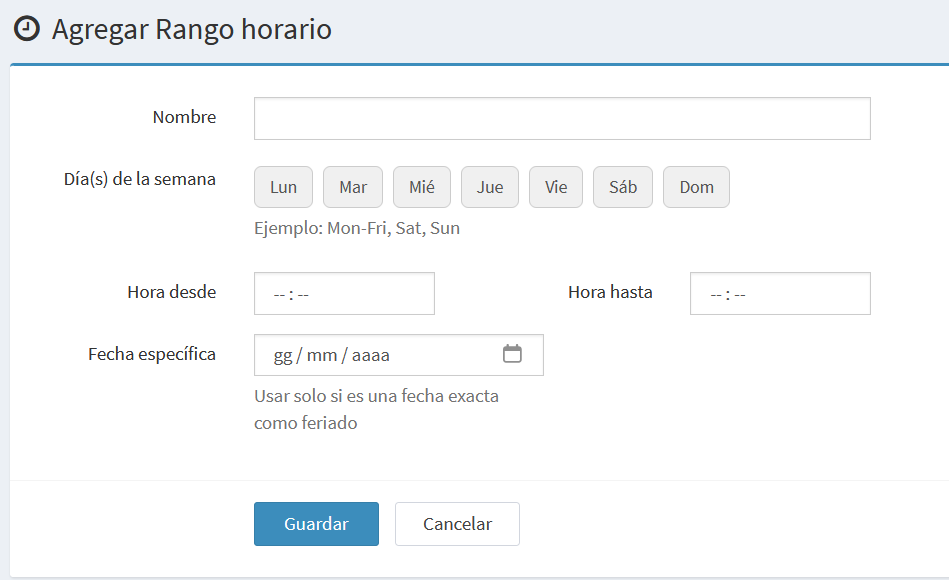
Same fields as the edit form, except the Id field is not shown.
Notes and Examples
- Time ranges alone do not trigger actions: they must be associated with a Time Condition.
- If a specific date is defined, it overrides the day and time configuration.
- Example:
- Range 1: Morning → Monday to Friday, 08:00–13:00.
- Range 2: Afternoon → Monday to Friday, 16:00–20:00.
- Range 3: Saturday Morning → Saturday, 09:00–13:00.
- Range 4: Christmas → Specific date 25/12 (full day).